Now playing widget for Windows
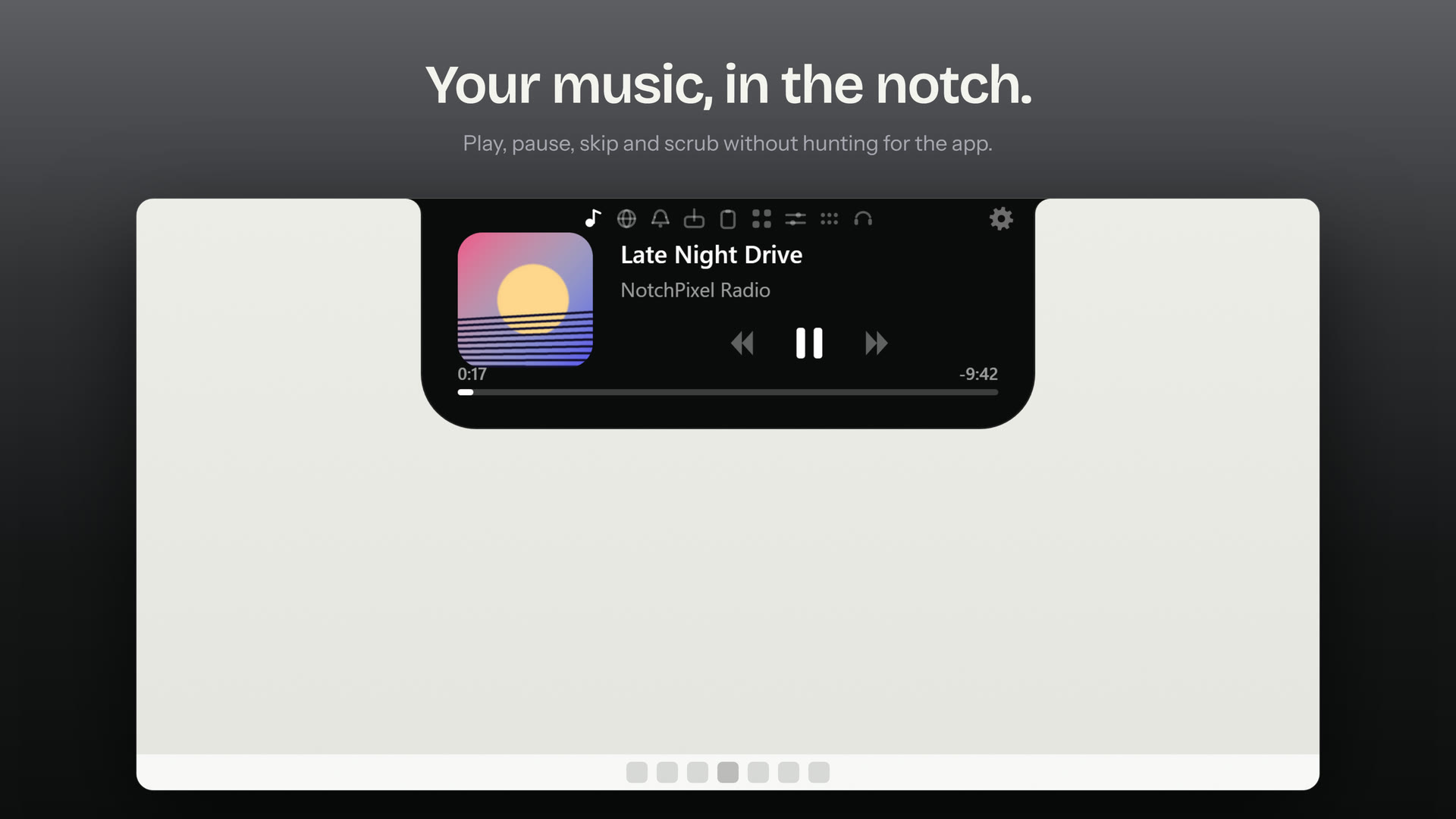
NotchPixel puts a now playing widget at the top of Windows 11 and 10: whatever is playing, from Spotify to YouTube in your browser, shows in the island with its artwork, and opens into a full music card when you rest the pointer on it.
7-day free trial. One-time purchase, no account.
What it does
- Works with any app that reports media to Windows: Spotify, YouTube and other sites in Chrome, Edge and Firefox, Apple Music, YouTube Music, VLC, foobar2000 and more.
- Artwork, play, pause, skip and scrub.
- Optional lyrics that follow the song.
- Choose the card's look and progress bar in Settings.
What Windows already has
Windows shows what is playing when you press a volume or media key, and Windows 11 also has media controls in Quick Settings, but only while you have them open. NotchPixel keeps the song at the top of the screen all the time, with controls one hover away and lyrics if you want them.
Good to know
- If the Windows volume flyout shows your track, NotchPixel shows it too.
- Runs on Windows 10 version 2004 or later and Windows 11, 64-bit (x64).
Questions
Does it work with Spotify and YouTube?
Yes. Spotify, YouTube in Chrome, Edge and Firefox, Apple Music, YouTube Music, VLC and foobar2000 all report what is playing to Windows, and NotchPixel reads it from there.
Where do the lyrics come from?
From LRCLIB, a free lyrics database. NotchPixel asks it for lyrics only after you turn lyrics on.
What does it cost?
$9.99 once in the US after a 7-day free trial, with no subscription. It is sold only in the Microsoft Store, which installs and updates it.
Part of NotchPixel
This is one of the jobs NotchPixel does in one island at the top of your screen, with music, clipboard history, files to your phone, a game strip, reminders and widgets. See everything it does, read what people say on the Microsoft Store, or see how to get a Dynamic Island on Windows.
7-day free trial. One-time purchase, no account.