Press kit
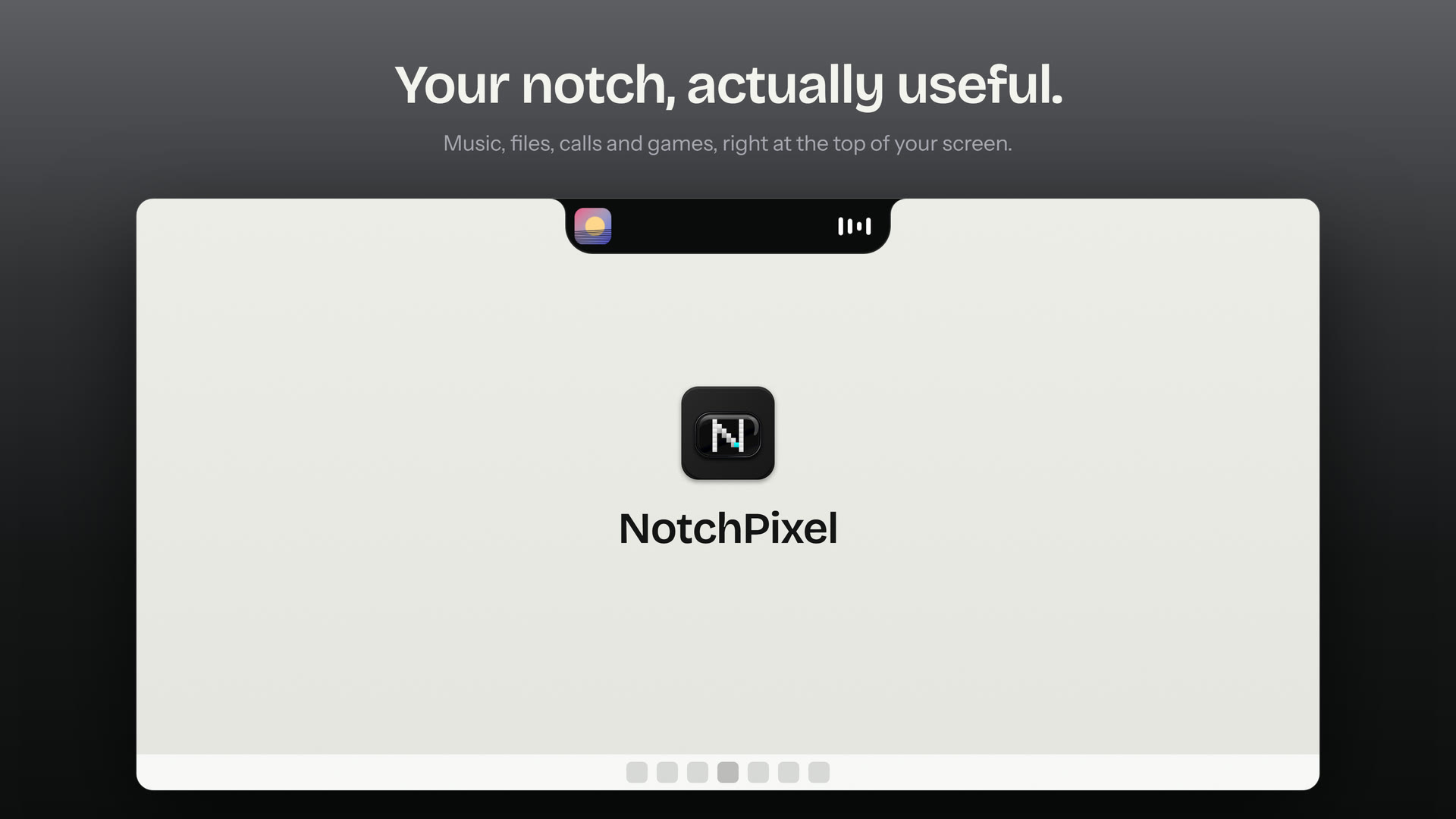
NotchPixel is a Dynamic Island-style notch for Windows 11 and 10. It sits at the top centre of the screen; rest the pointer on it and it opens a card, move away and it is gone. The facts, what's new, screenshots, logos and film for writing about it are below.
Questions, interviews and review codes: info@notchpixel.com.
Fact sheet
- Name
- NotchPixel
- In one line
- A Dynamic Island-style notch for Windows that opens into a card when you rest the pointer on it: music with lyrics, clipboard history, a file shelf that sends files to your phone, widgets, reminders, calls, a game strip and your coding agents.
- Platform
- Windows 10 version 2004 (build 19041) and later, and Windows 11. x64 only.
- Price
- $9.99 once in the US, after a 7-day free trial. Other markets show their own local price. No subscription, no account.
- Where to get it
- Only in the Microsoft Store, Store ID
9MXCRL0XBGPH. The Store installs and updates it, and Microsoft signs the package. - Current version
- 0.5.122, released 22 November 2026. Every release: notchpixel.com/updates
- Launch
- In the Microsoft Store since 29 September 2026. Launched on Product Hunt on 14 October 2026.
- Who makes it
- Made by one developer, Kore D, and published by KORE INDUSTRIES.
- Languages
- 21
- Privacy
- No account, no telemetry, no ads.
- Footprint
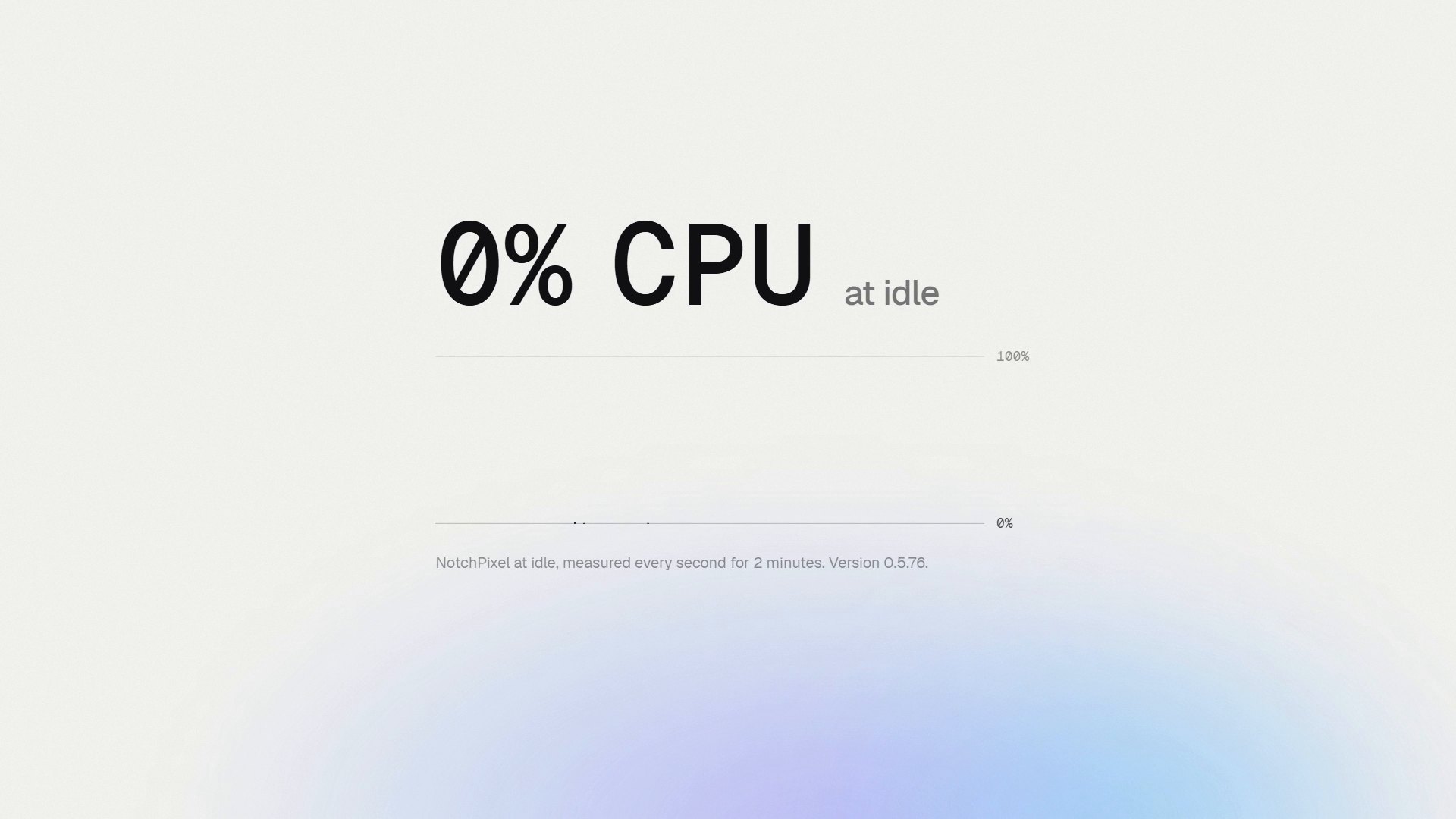
- About 13 MB in Task Manager and 0% CPU at idle (version 0.5.64, 3 Oct 2026), measured over 120 seconds on an Intel Core i5-11400H laptop with Windows 10 22H2. How it was measured.
- Website
- notchpixel.com
- Contact
- info@notchpixel.com
- Review codes
- Request a review code: email info@notchpixel.com with your outlet.
What's new
0.5.120 to 0.5.122, 21 to 22 November 2026
- PC Deck works with the free NotchPixel Deck app for Android and iPhone: pair it from the island's Deck tab. The phone stays paired when the PC's address changes and can wake the PC from sleep.
- Badges on NotchPixel's taskbar: the count for WhatsApp and other Microsoft Store apps, and a dot for apps started before NotchPixel, such as Discord.
- Desktop widgets stay under a window you open from the desktop, and after a game that changes the screen resolution the live wallpaper comes straight back.
- On PCs with an NVIDIA RTX 50 card NotchPixel draws with the processor by default, which keeps away a black box some of their drivers showed around the island.
- Fixed: the NotchPixel Deck app reaches the PC again (0.5.121).
0.5.98 to 0.5.119, 9 to 20 November 2026
- Window previews on NotchPixel's taskbar: rest the pointer on an app to see each of its windows live, with its title, and click one to bring it forward or close it there.
- Live wallpaper: a video of your own plays behind the desktop icons, only while you can see the desktop, with its own hue, saturation, brightness and contrast.
- Pure white, a new look with a white island, taskbar and Settings, and a Dock effect option for NotchPixel's taskbar.
- NotchPixel's taskbar can be on every screen, steps aside for maximized windows, shows a copy's or a download's progress under the app's icon, and opens the app at each place with Win+1 to Win+9 and Win+0.
- Desktop widgets are clear glass and can be locked in place; notifications from one app stack into one card.
- Lighter on the PC: the strip over maximized windows, the game strip and the taskbar use much less of the processor, and NotchPixel uses less memory.
- Fixed: Start always opens above NotchPixel's taskbar and at once over a game, settings save on PCs where Windows refused them, and Windows' own taskbar stays as you set it.
0.5.95 to 0.5.97, 5 to 9 November 2026
- The shelf: tick several files and drag them out together, into File Explorer or any app.
- The game strip shows your upload speed, and a new Strip background setting keeps it Glass over games or shows only the numbers.
- The world clock has every time zone, Adelaide, Darwin and Perth included.
- YouTube in Chrome gets a sharp cover on the island and in PC Deck, and PC Deck's Screenshot, Snip and Record use NotchPixel's own tools.
- Fixed: with music paused and a resting face on, the album cover no longer shows over the island's other tabs.
0.5.91 to 0.5.94, 3 to 4 November 2026
- PC Deck turns your phone into a controller for the PC. Turn it on in the island's Deck tab and scan the code for a trackpad, music controls, your apps, and modes for games, slides and movies. It stays off until you turn it on, stays off on networks Windows calls Public, and you allow each phone yourself.
- Choose what the island shows while resting: time, date, weather, battery, CPU and temperature, next event, or a small pixel pet.
- A Day clock on the desktop, in large spaced letters with no background, and a colour wheel to tint it.
- 12 new widgets: ping, play time today, quick note, countdown, more world clocks, currency rates, calculator, website check, air quality, sun and moon, screen time, and day and year progress.
- Screen recordings can include PC sound mixed with your mic, and the island stays visible in your own recordings.
- Far less memory and CPU while idle.
- The taskbar shows over a fullscreen game while Start or another app is in front. Moving the island or switching the taskbar off and on no longer stops Lively wallpapers, and a mic no longer comes back muted after a USB headset reconnects.
0.5.89 and 0.5.90, 1 November 2026
- An optional NotchPixel taskbar (Settings > Taskbar): a notch along the bottom of the screen in place of Windows' taskbar, with Start, your pinned and open apps, the song and timer, tray icons, quick settings and the clock. It follows the apps you pin in Windows and steps aside for games.
- The island can stand on the left or right side of the screen, and Settings > Island > Monitor picks its screen.
- Sharper: text is drawn the way Windows draws its own (ClearType), and icons sit on whole pixels.
- Smoother: the island and the taskbar no longer pause for a moment every few seconds.
- Arabic text with numbers or English words reads in the right order, and Japanese, Chinese, Korean, Thai and Hindi no longer show as boxes, lyrics included.
0.5.82 to 0.5.88, 19 to 21 October 2026
- The island opens only when you rest the pointer on it, so clicks under it, such as on browser tabs, never open it. Resting on a notification opens the card on the Notifications tab.
- Notifications show the real app icon, stack on the closed island and flip with the mouse wheel; you choose how long each one stays.
- Over fullscreen apps the island stays as a slim strip by default instead of hiding.
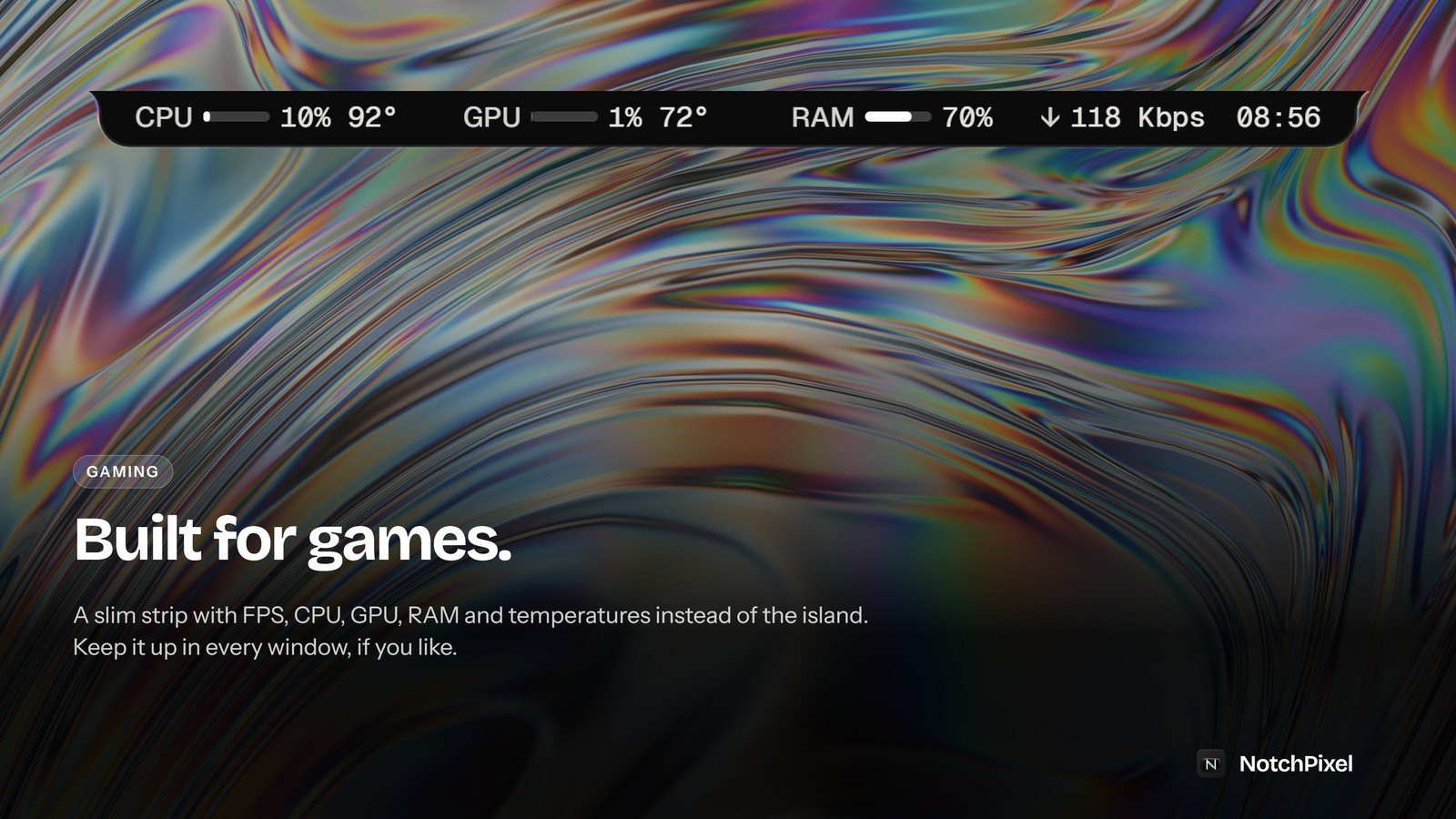
- The game strip's FPS, CPU, GPU, RAM, network speed and temperatures update ten times a second, read the way Task Manager does, with optional usage bars.
- Choose which apps the music card shows, and Album colours reach right up to the top edge of the resting notch and the music card.
- Desktop widgets on a Glass look take their colours from a live wallpaper, and a new Captures on the shelf setting keeps screenshots and recordings off the shelf.
Every release with its full notes: notchpixel.com/updates.
0.5.81, 19 October 2026
- A polish release shaped by reviews: the music card gives the progress bar, the times and the lyrics button their own space, and the tiles inside the island follow the Corners setting.
- A new slider sets the island's distance from the top of the screen.
- The clipboard can show as a two-column list, and Delete clears the notification under the pointer.
- Settings fields have their own Save buttons; per-app rules and stock symbols wait until you press them.
- The island shows in screenshots and recordings unless you turn on Hide from screenshots and recordings. Glass looks always stay hidden.
- The game strip appears only over games; per-app Slim and Normal rules win over hiding in fullscreen.
- Crash and memory fixes, smoother shelf previews, and lyrics found for more songs.
0.5.80, 15 October 2026
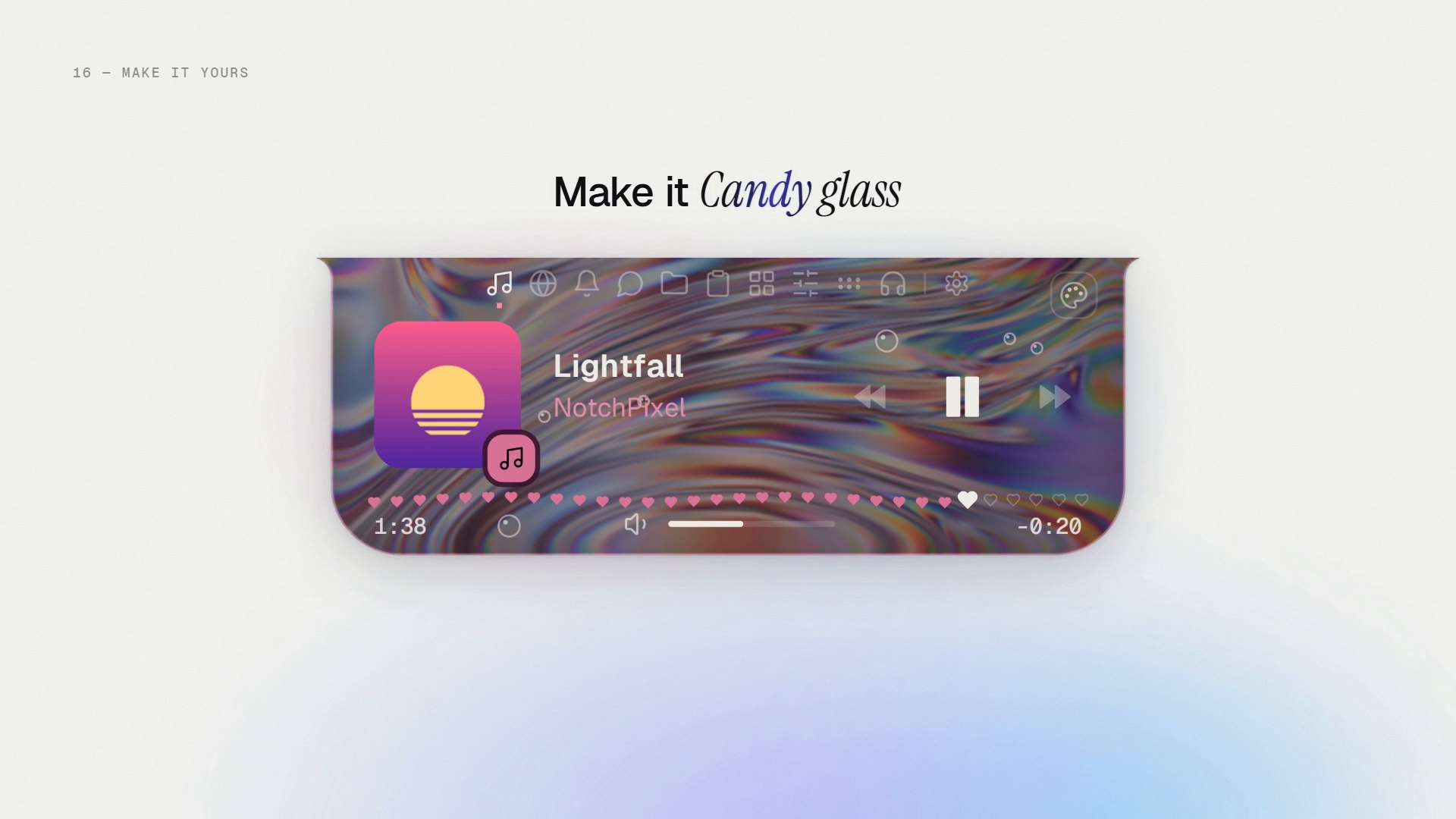
- Glass, Candy glass and Acrylic work on Windows 11. On some Windows 11 PCs, switching to a see-through surface closed NotchPixel; that is fixed.
- Glass uses almost no CPU while the screen behind it is still, so low-end laptops stay cool and quiet.
- When the island closes, it shrinks on the tab you were looking at instead of jumping to the music.
- On desktop PCs, where Windows does not report the CPU's own temperature, the widget no longer shows a motherboard sensor as the CPU.
0.5.79
- Clocks follow the Windows time format, so 24-hour time shows everywhere, or pick 12-hour or 24-hour in Settings.
- A Minimal weather look, now the default, with a moon at night instead of a sun.
- The island reopens on the tab you were on, even after a restart.
What it does
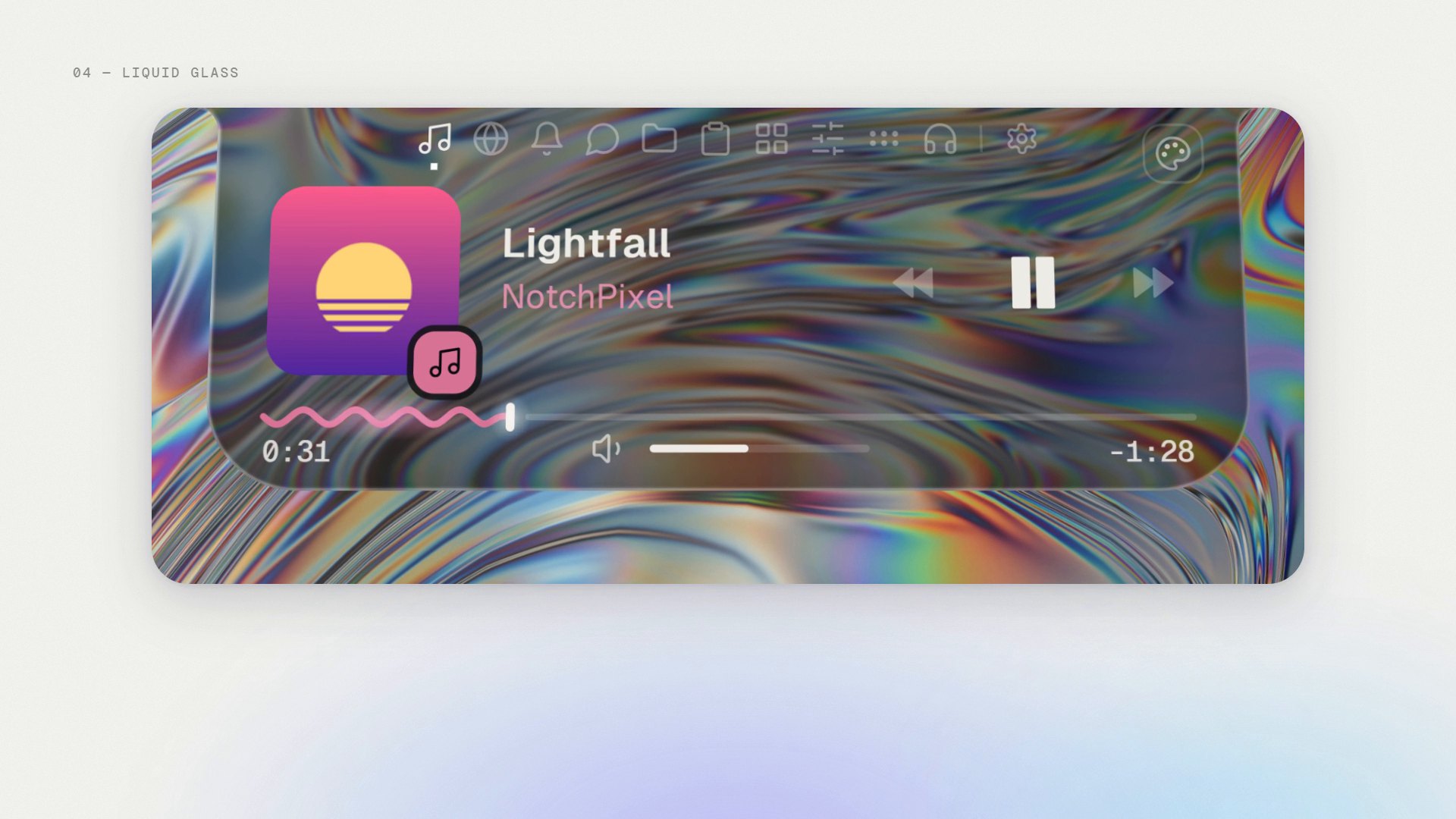
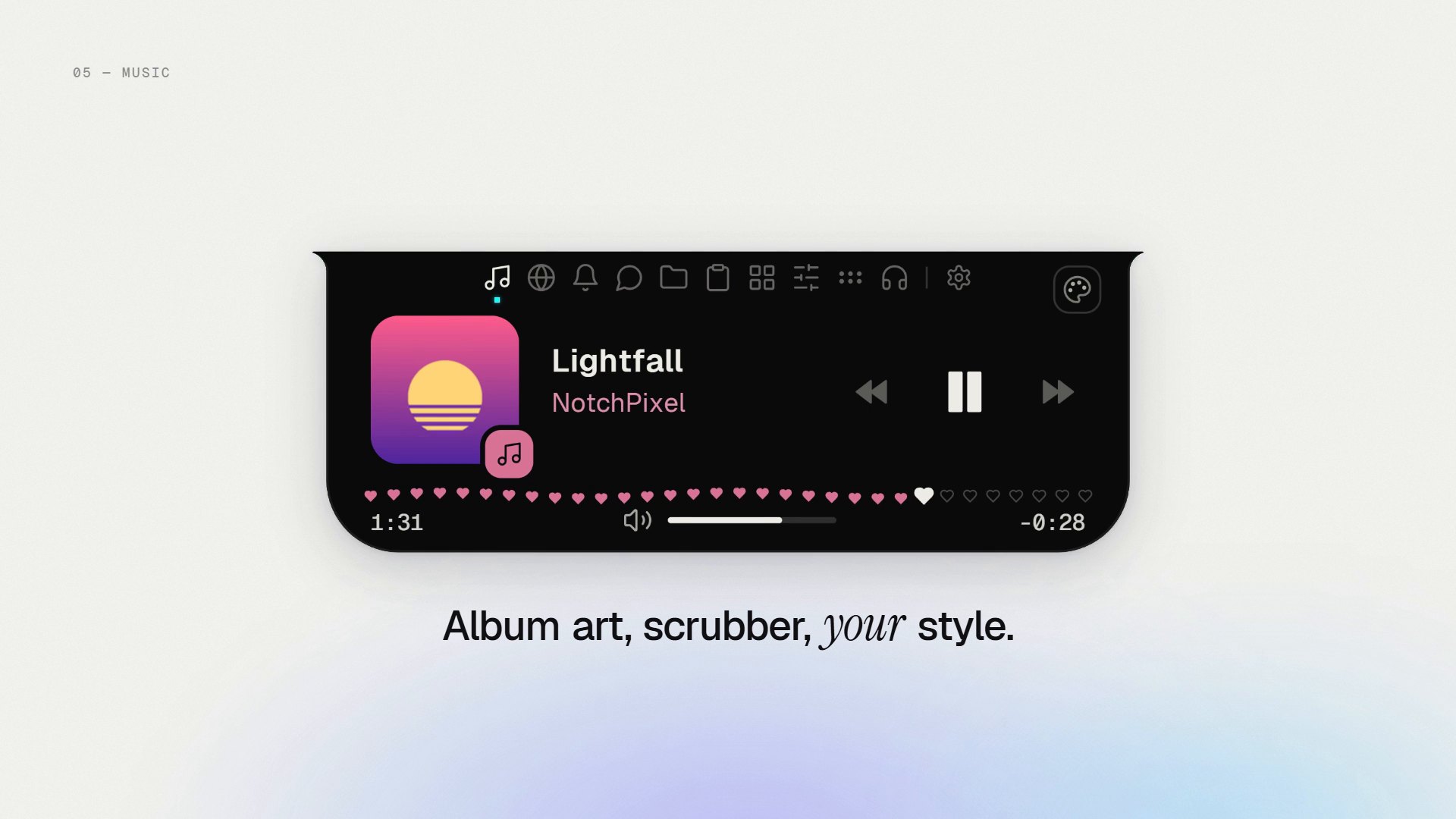
- Shows what is playing in any app, with artwork, play, pause, skip and scrub, and optional lyrics that follow the song.
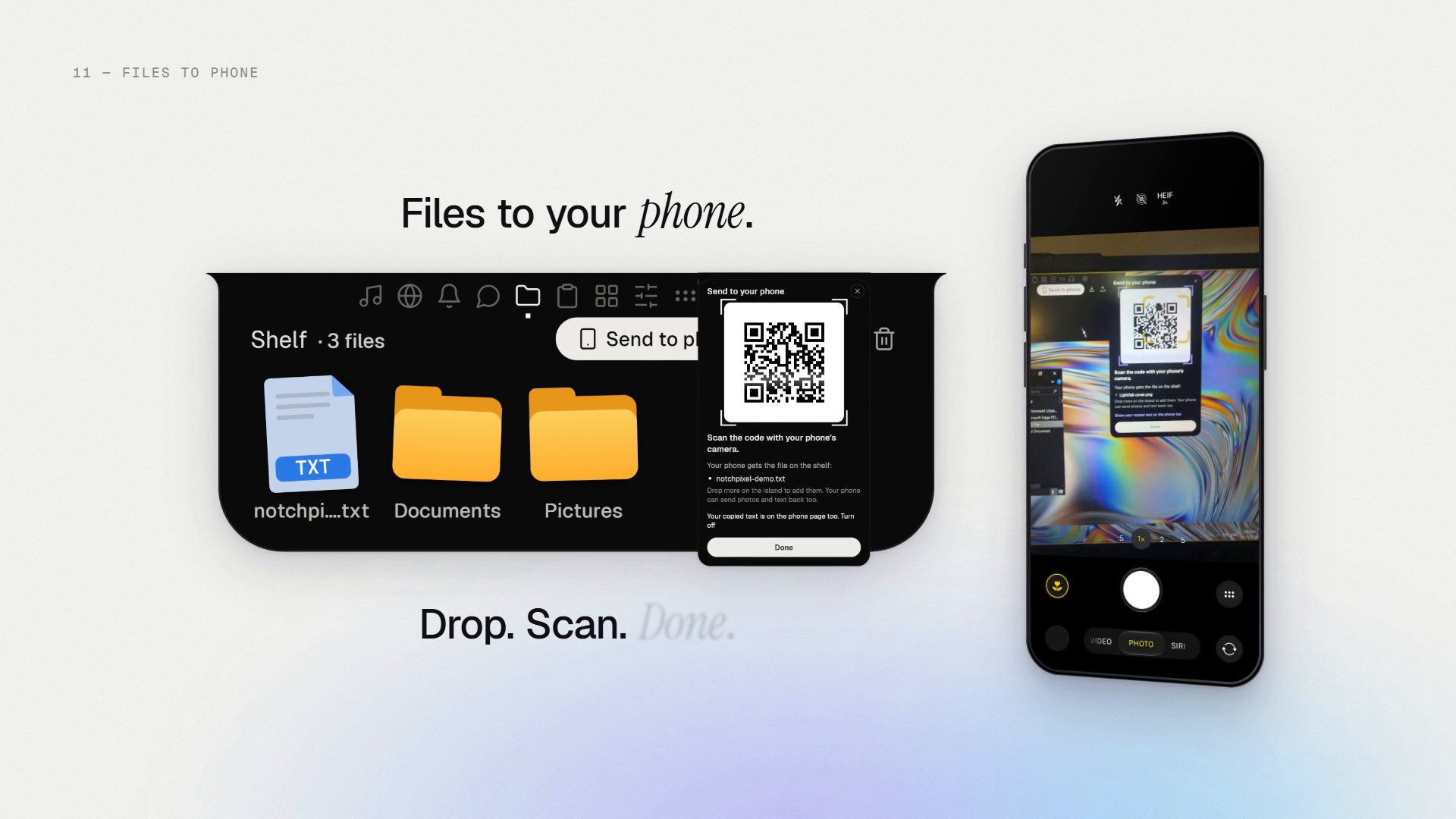
- Holds files on a shelf. Drag them back out, or send them to a phone and back on the same Wi-Fi with a QR code. The phone needs no app and no account.
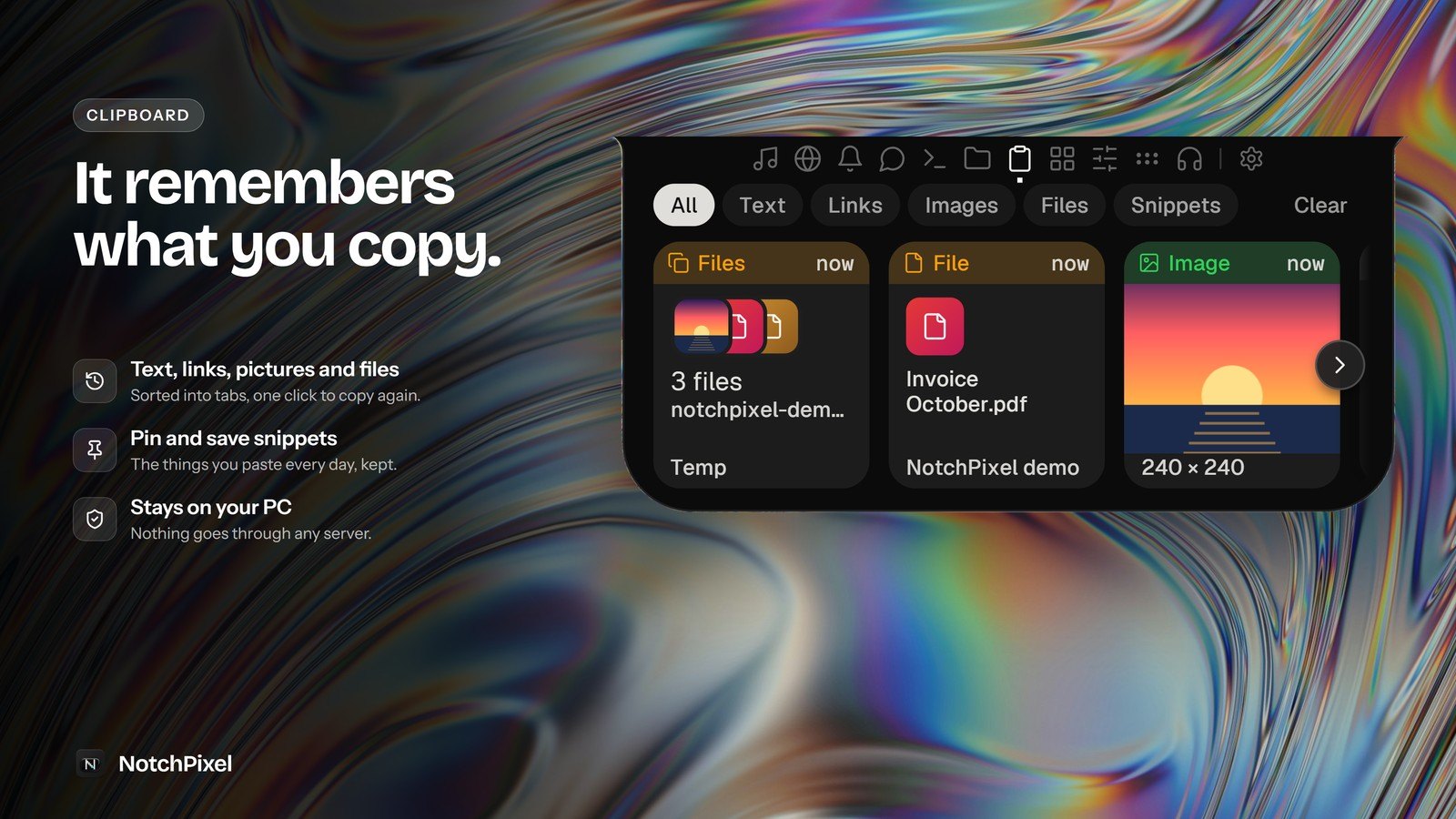
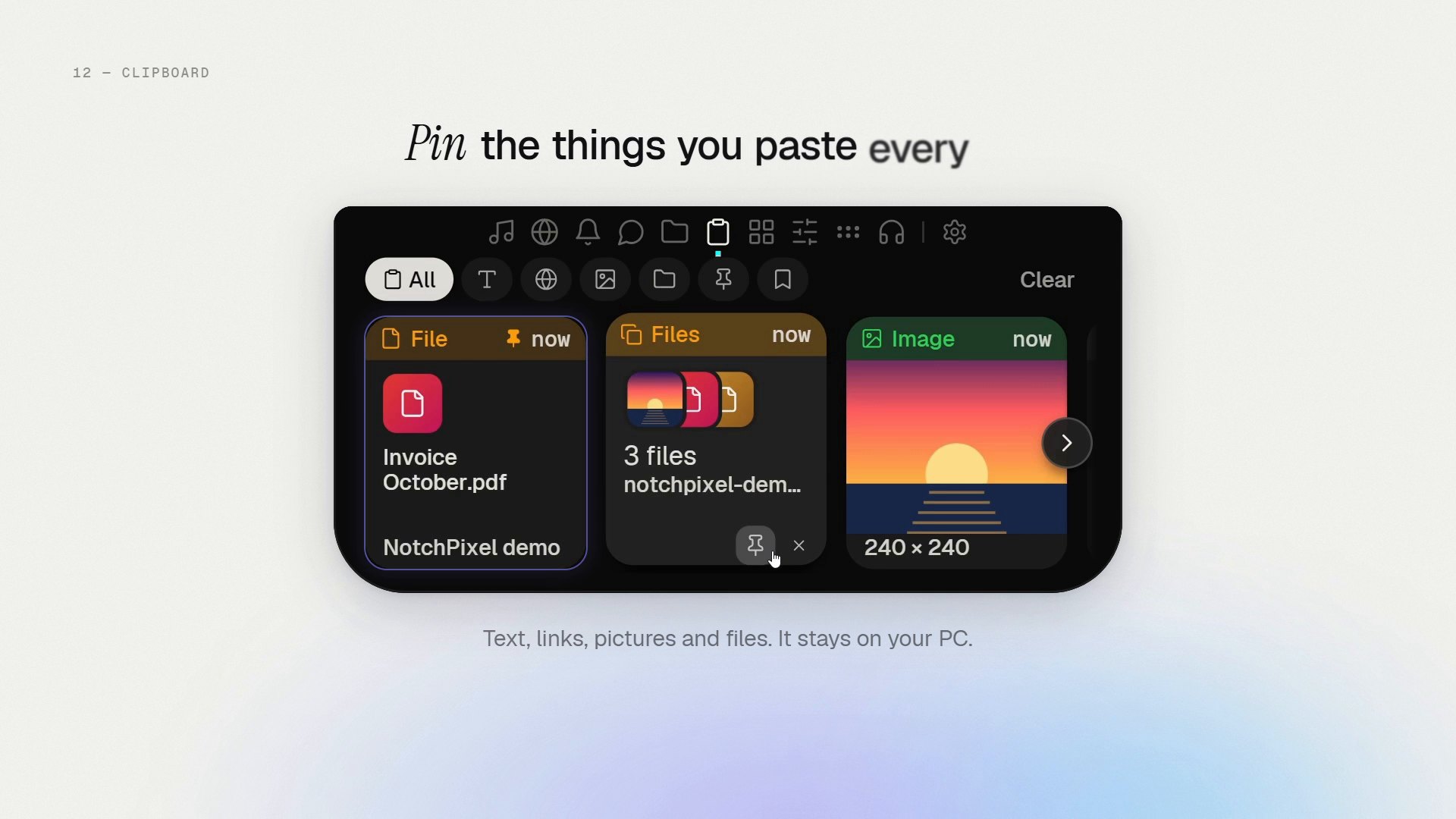
- Keeps a clipboard history of text, links, pictures and files, with pins for the items you want to keep.
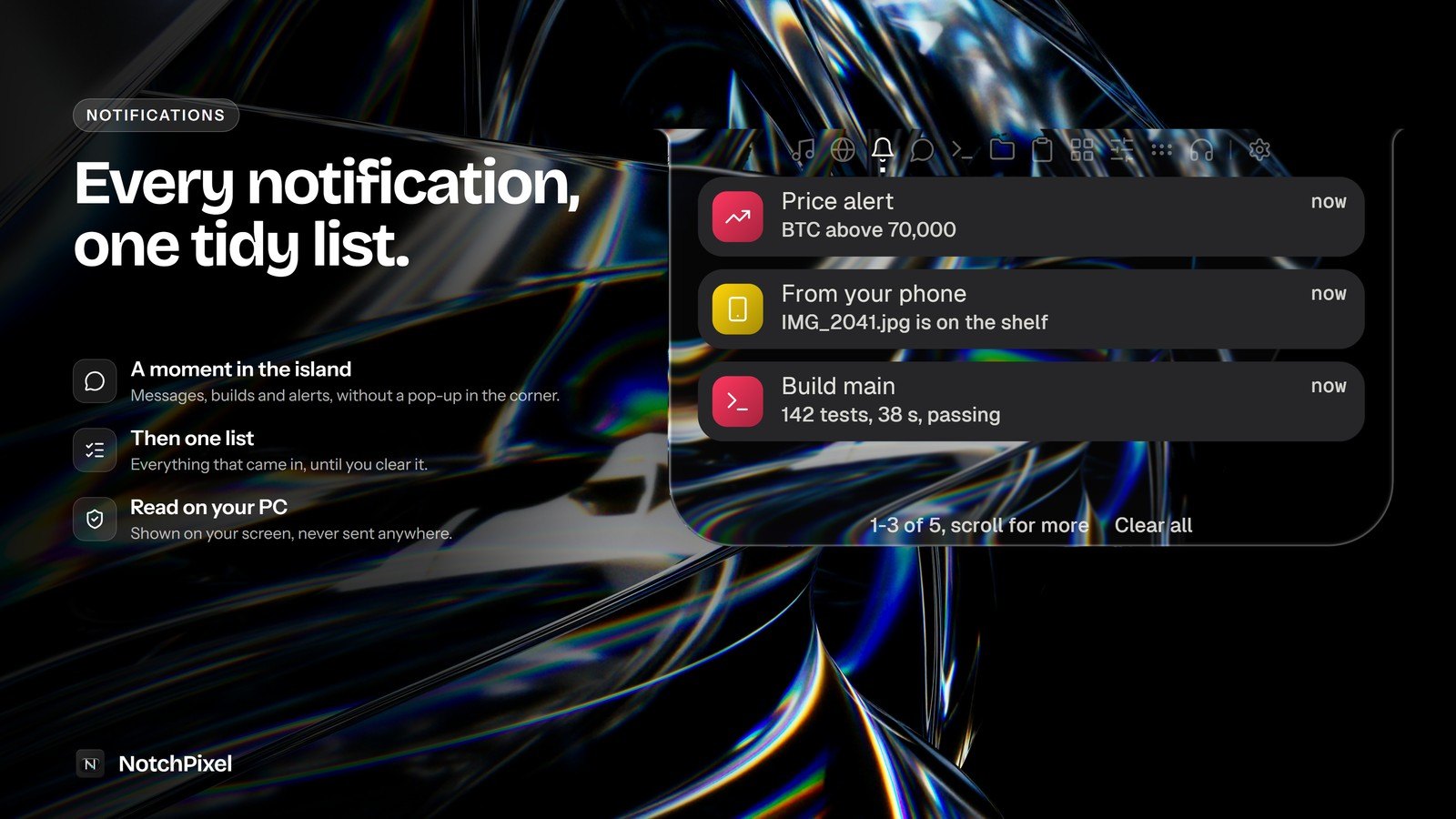
- Mirrors your notifications in one list.
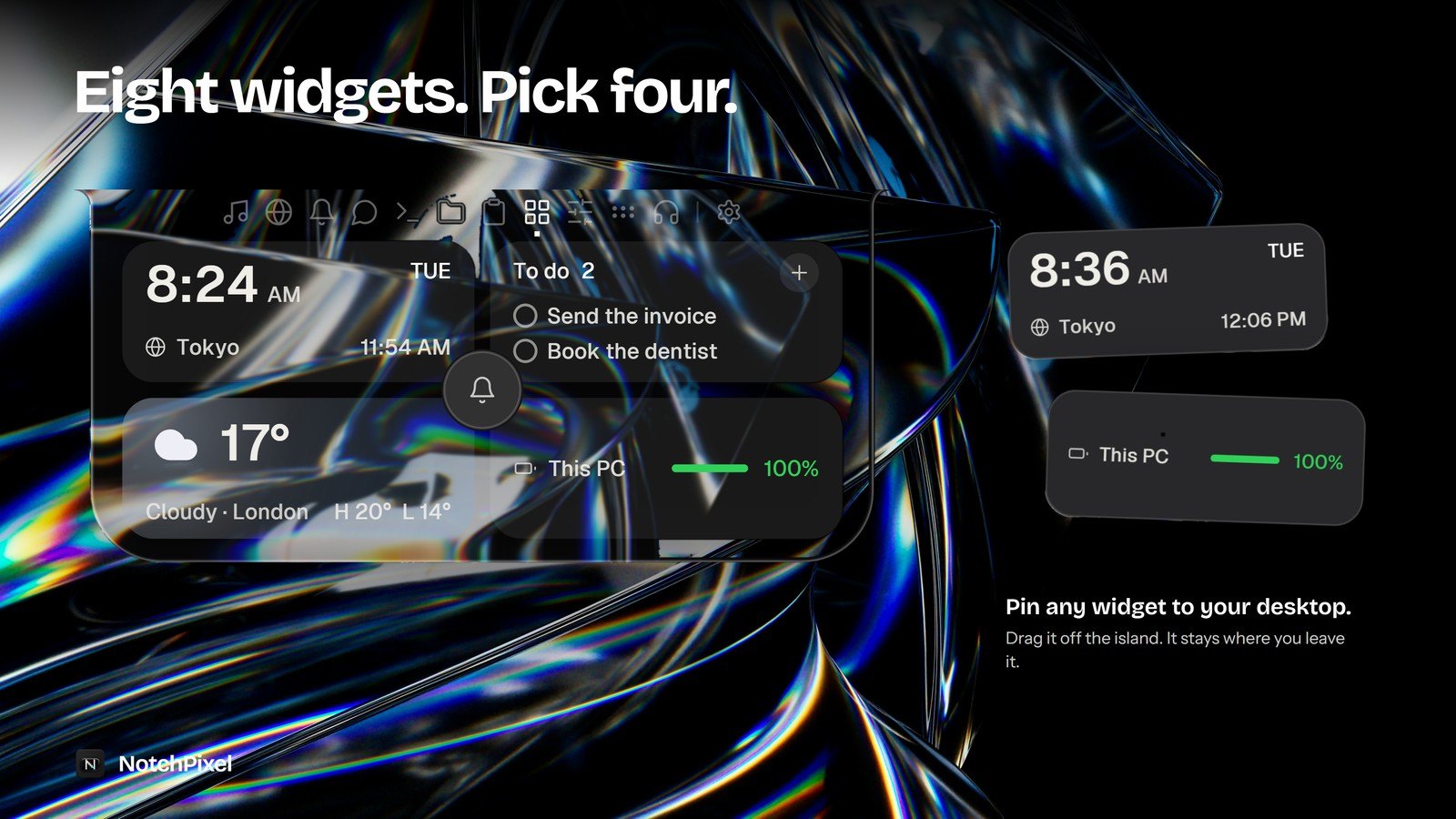
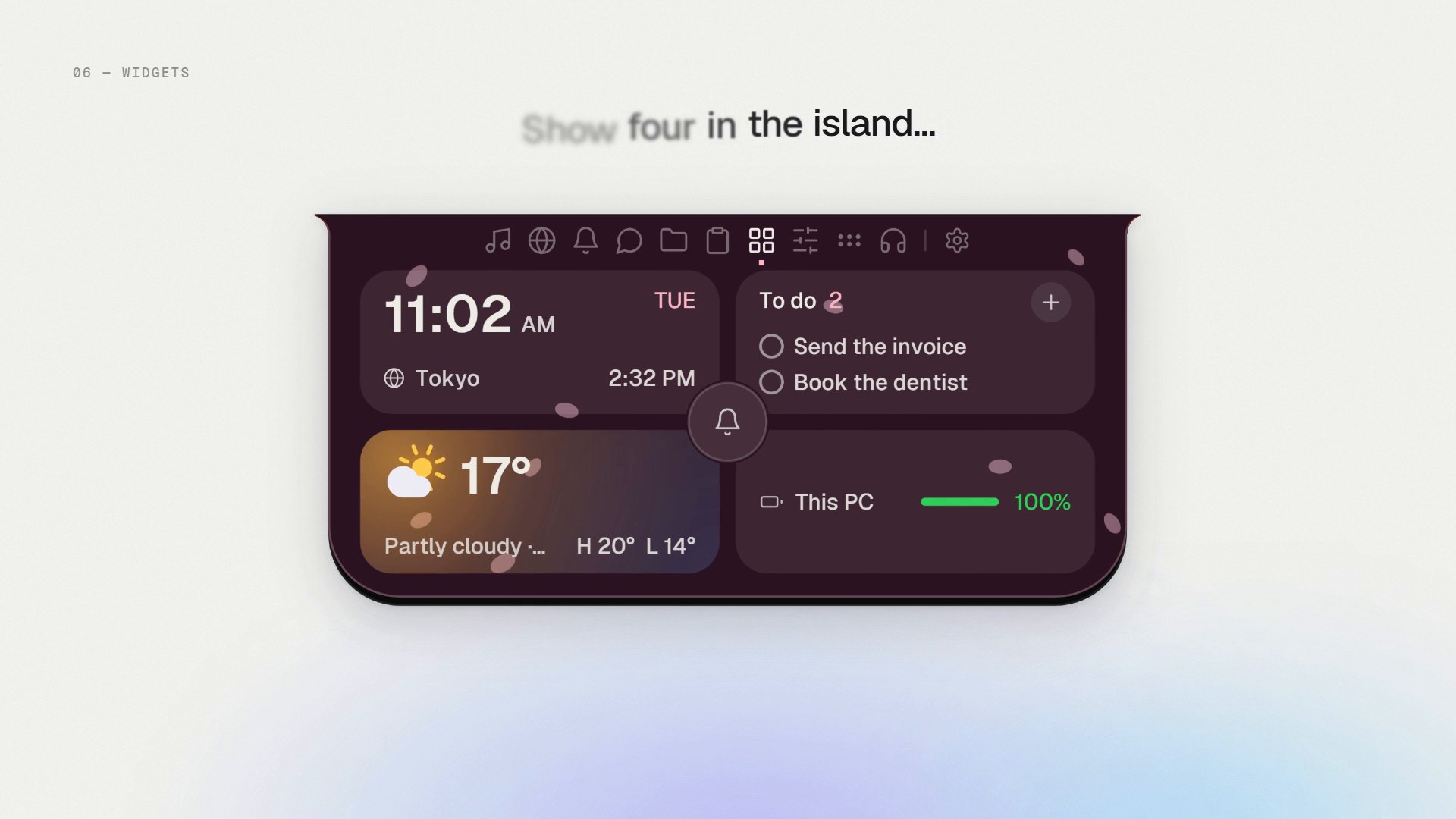
- Widgets: a clock with a 24-hour option, world clock, weather, to-do, photos, batteries, a focus timer and PC stats. Any of them can be pinned to the desktop.
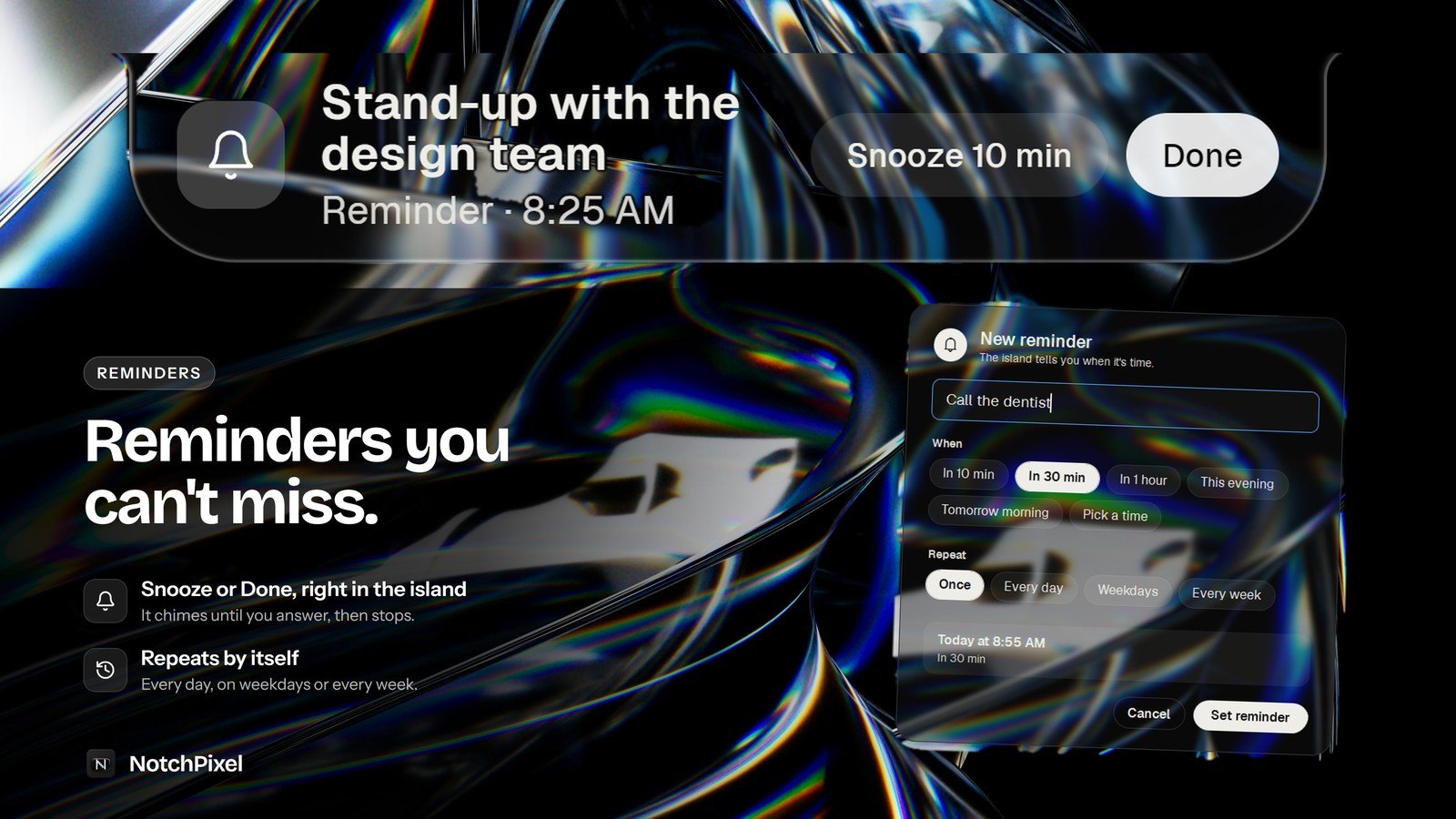
- Reminders that slide in over whatever you are doing, even a fullscreen game, with Snooze and Done.
- In a fullscreen game it hides, or shows a slim FPS, CPU, GPU and RAM strip.
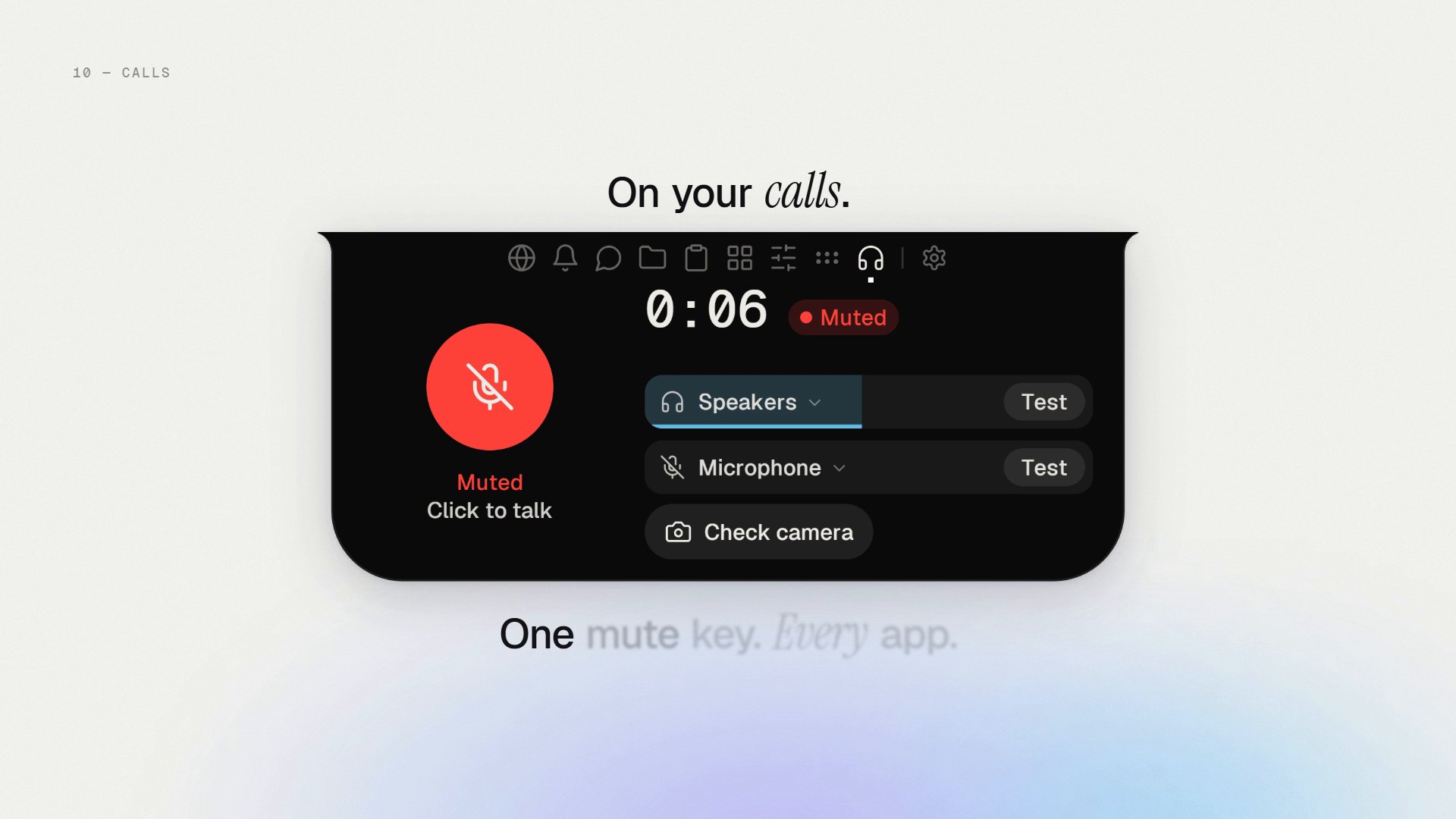
- One key, Ctrl+Alt+M, mutes the microphone in every app, and a call timer runs while you talk.
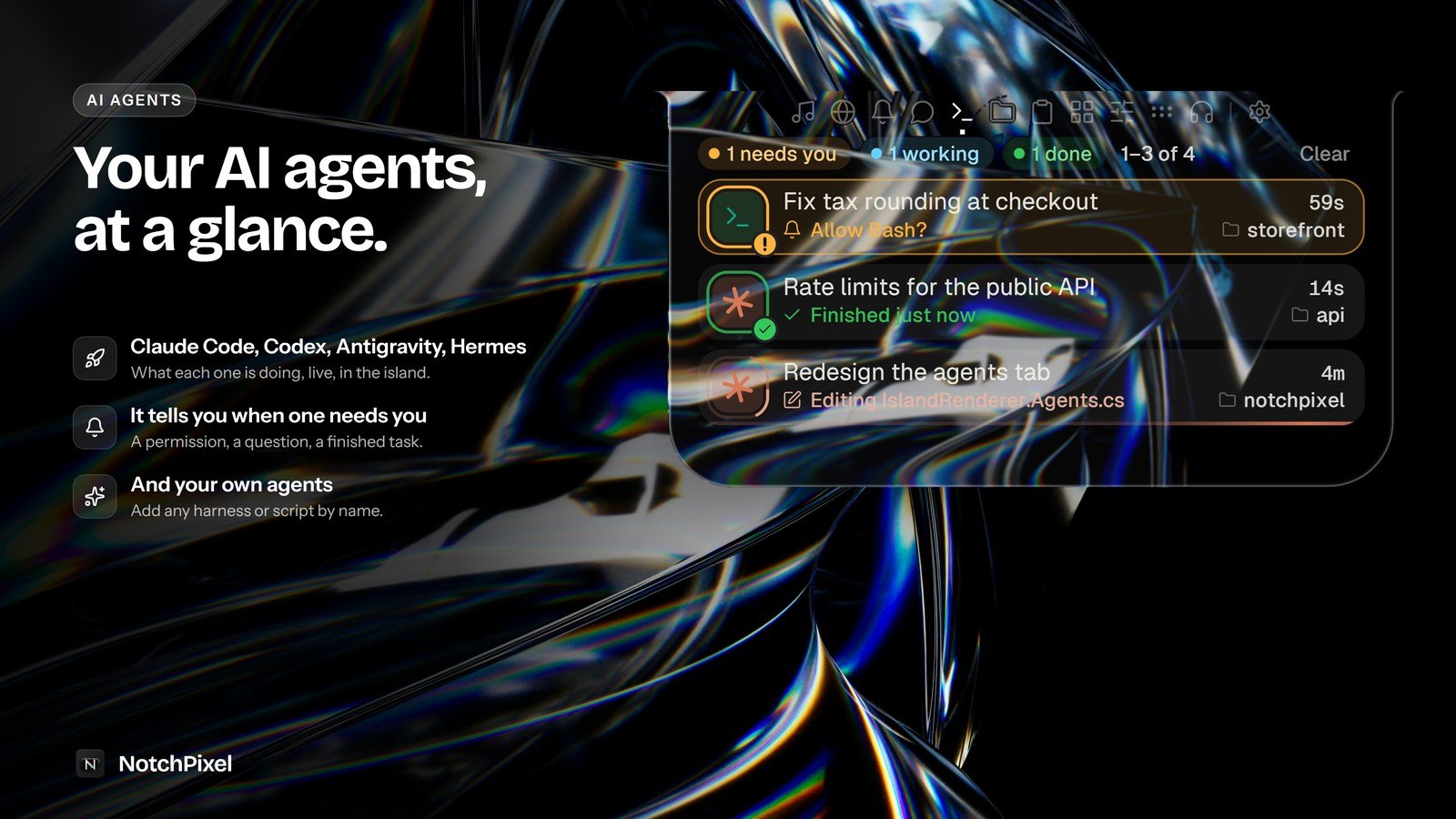
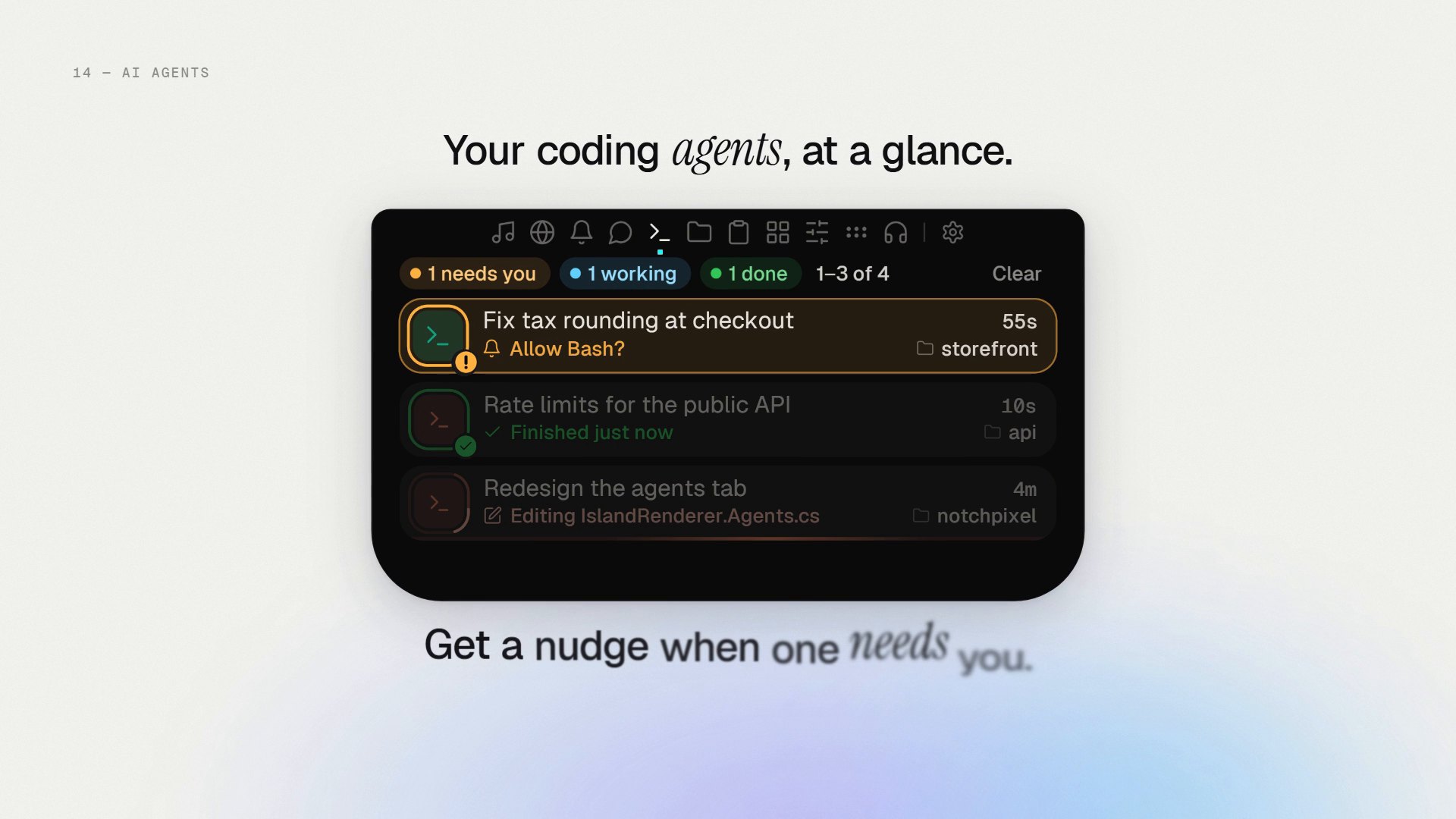
- Shows what each coding agent is doing (Claude Code, Codex, Antigravity, Hermes or your own), and when one needs you.
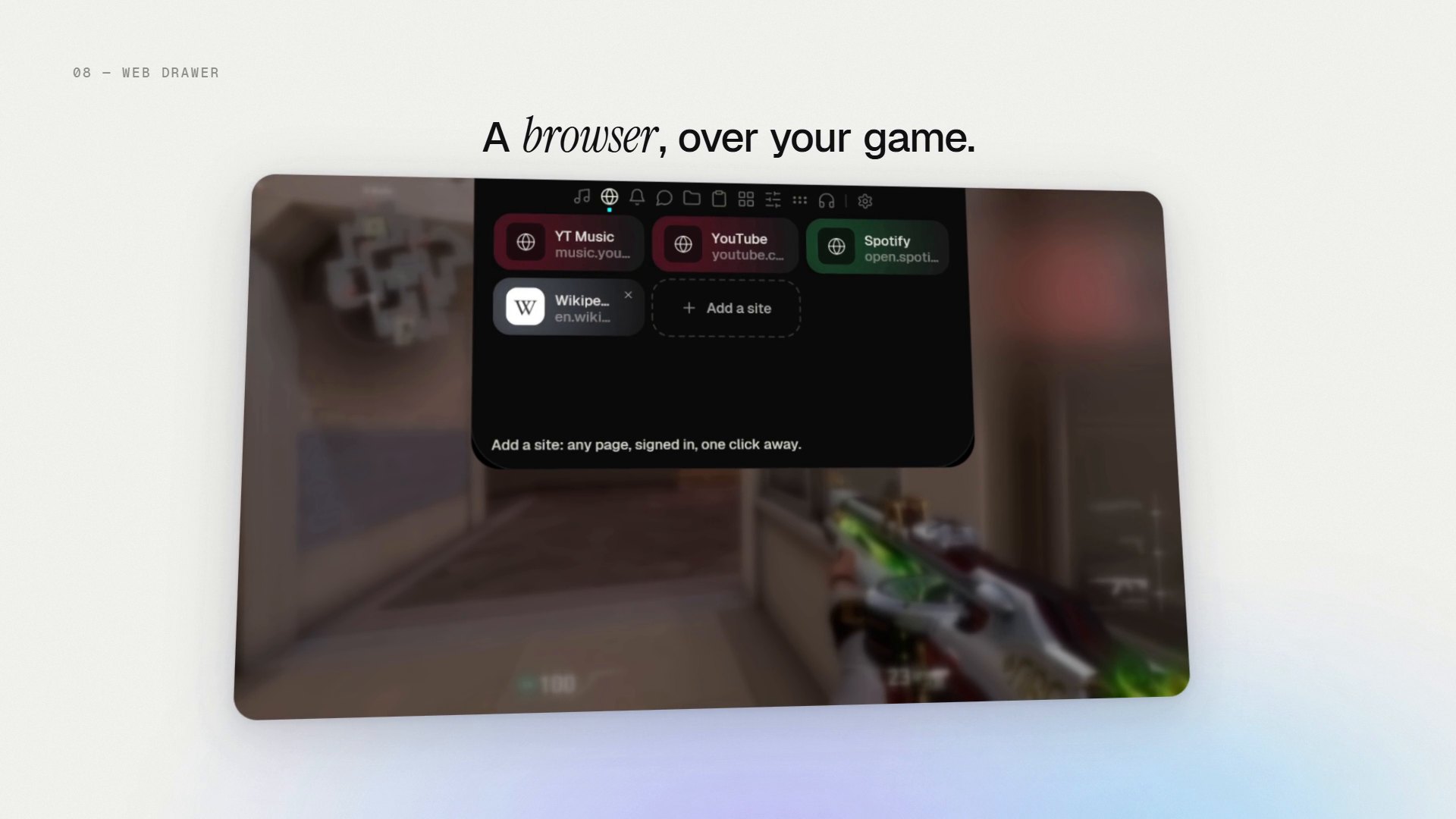
- A web drawer: pinned sites open in a rounded drawer, even over a game.
- Shows volume, brightness, battery and headphone pop-ups at the top centre.
- Quick switches, screenshot, snip, screen recording and a colour picker.
- A drawer for Twitch and YouTube chat, a REC pill while OBS records, and a pill for export progress.
- Scripts can put lines and live tiles on it through a loopback endpoint (
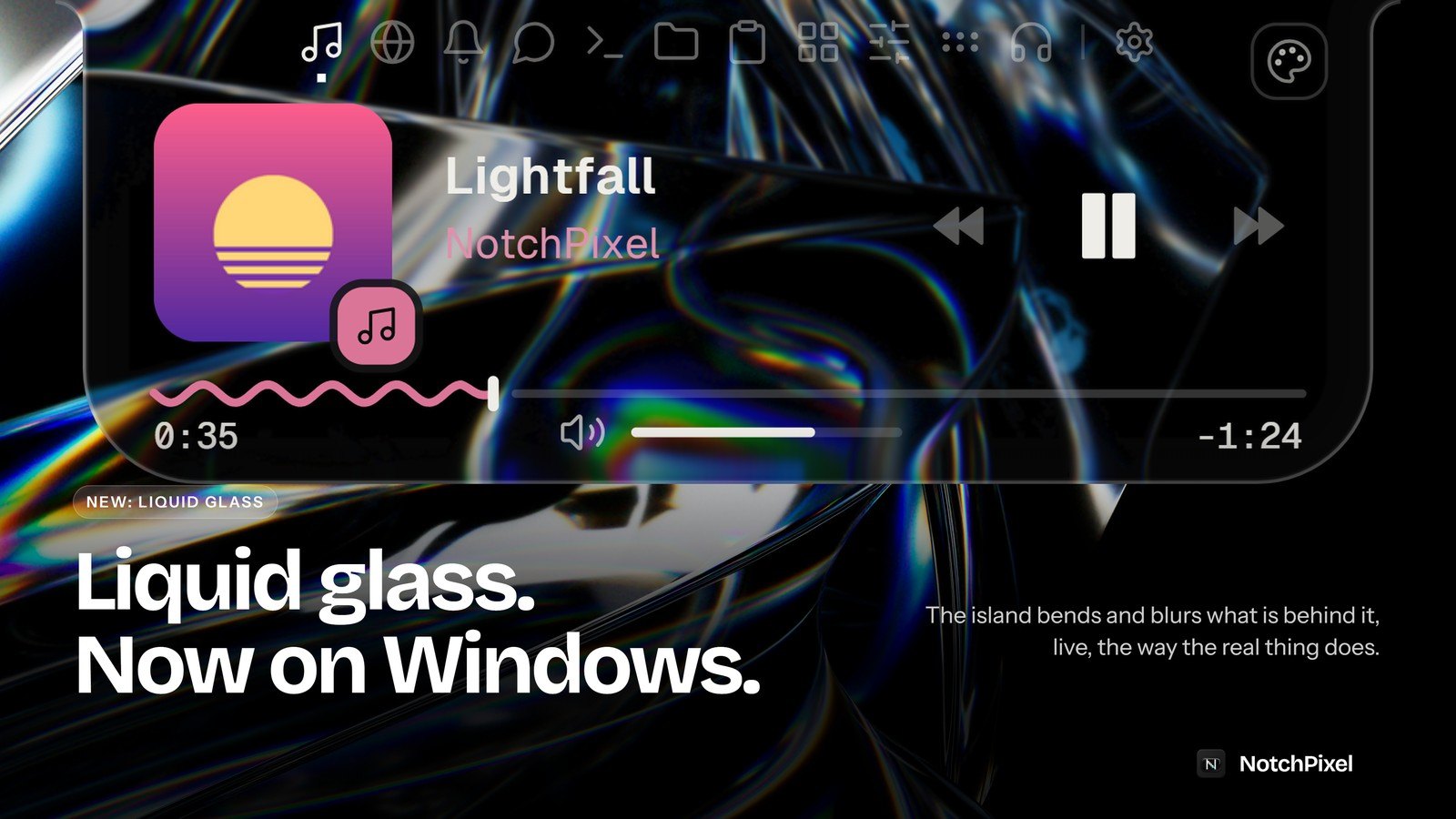
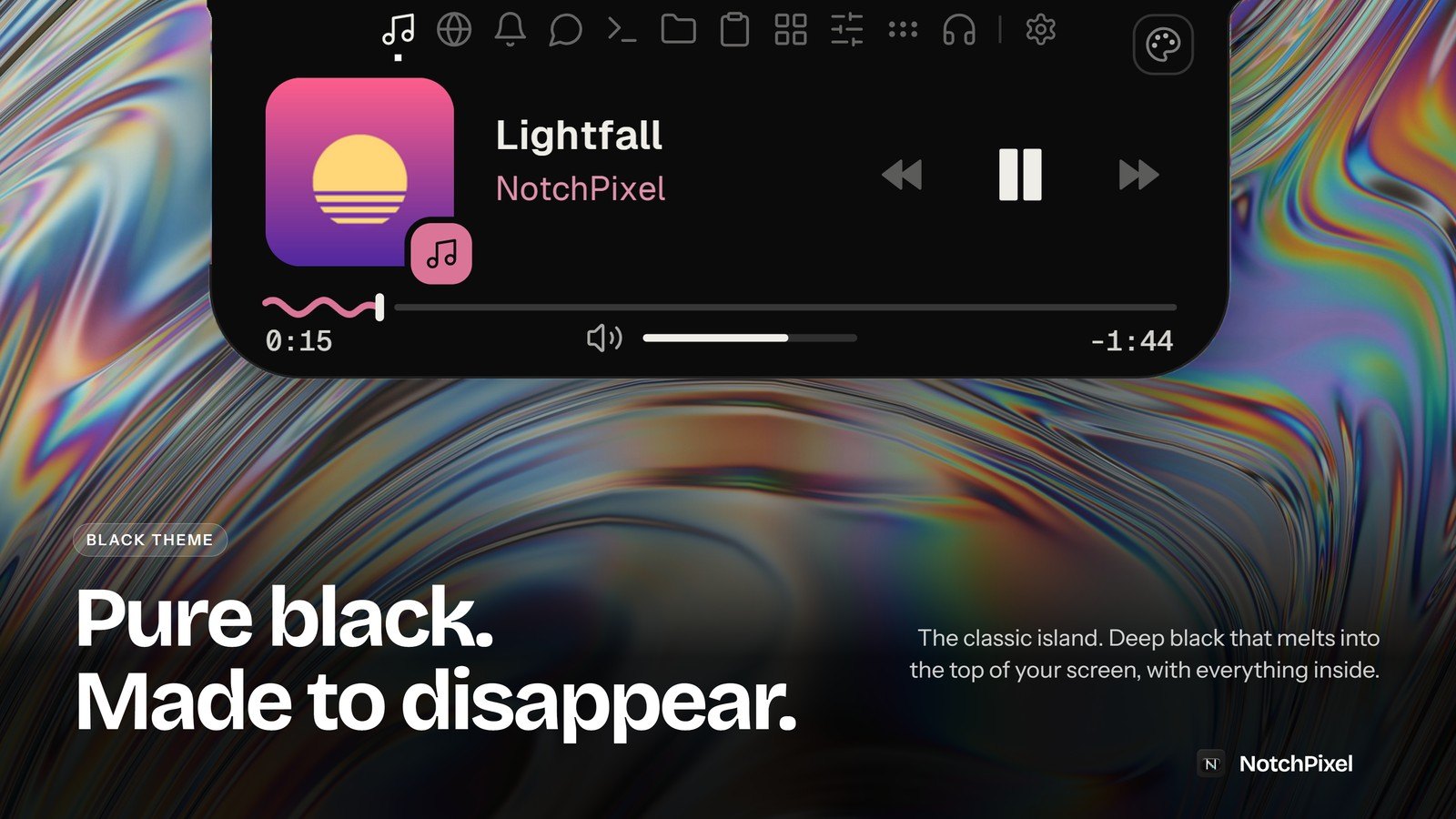
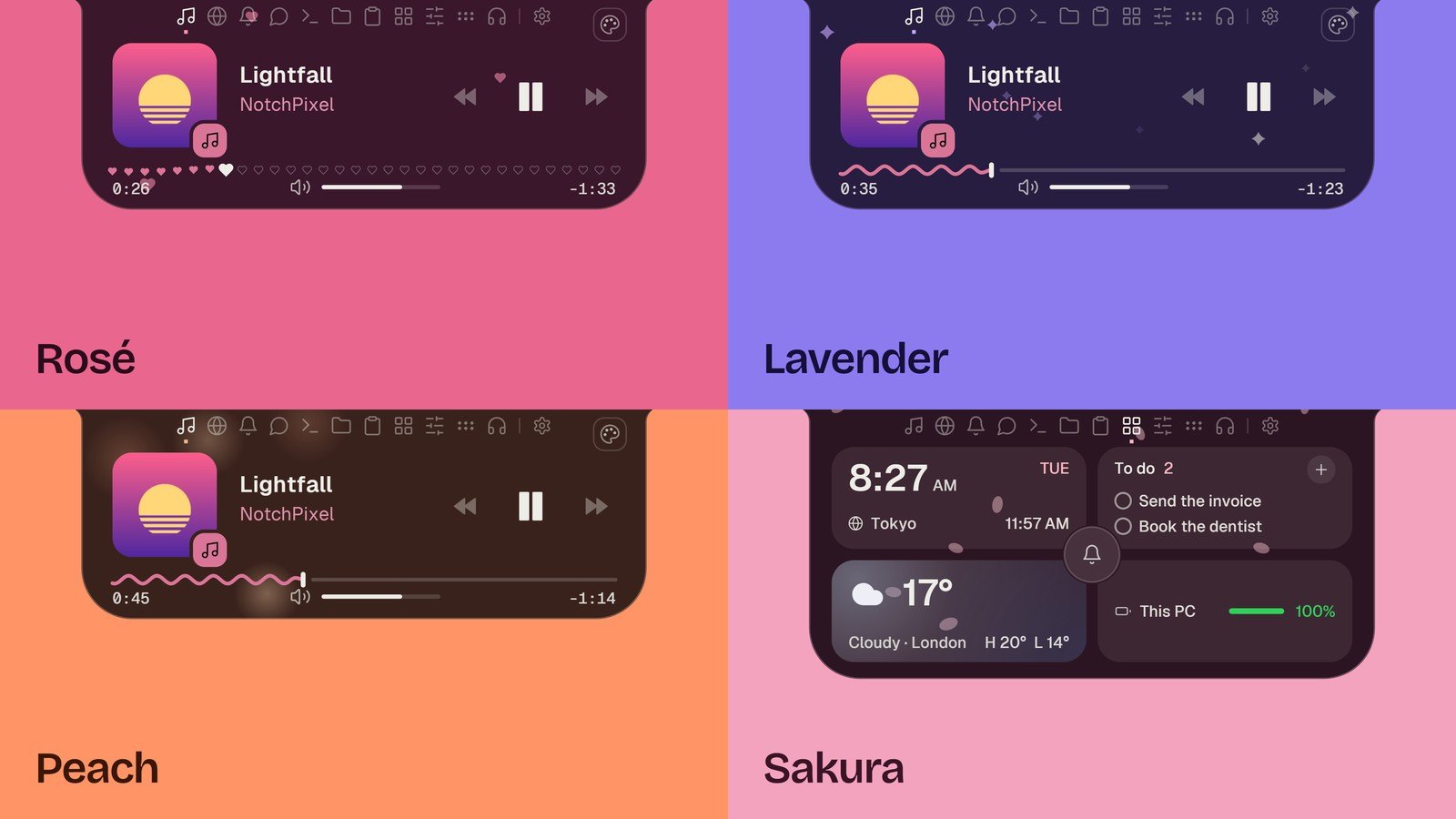
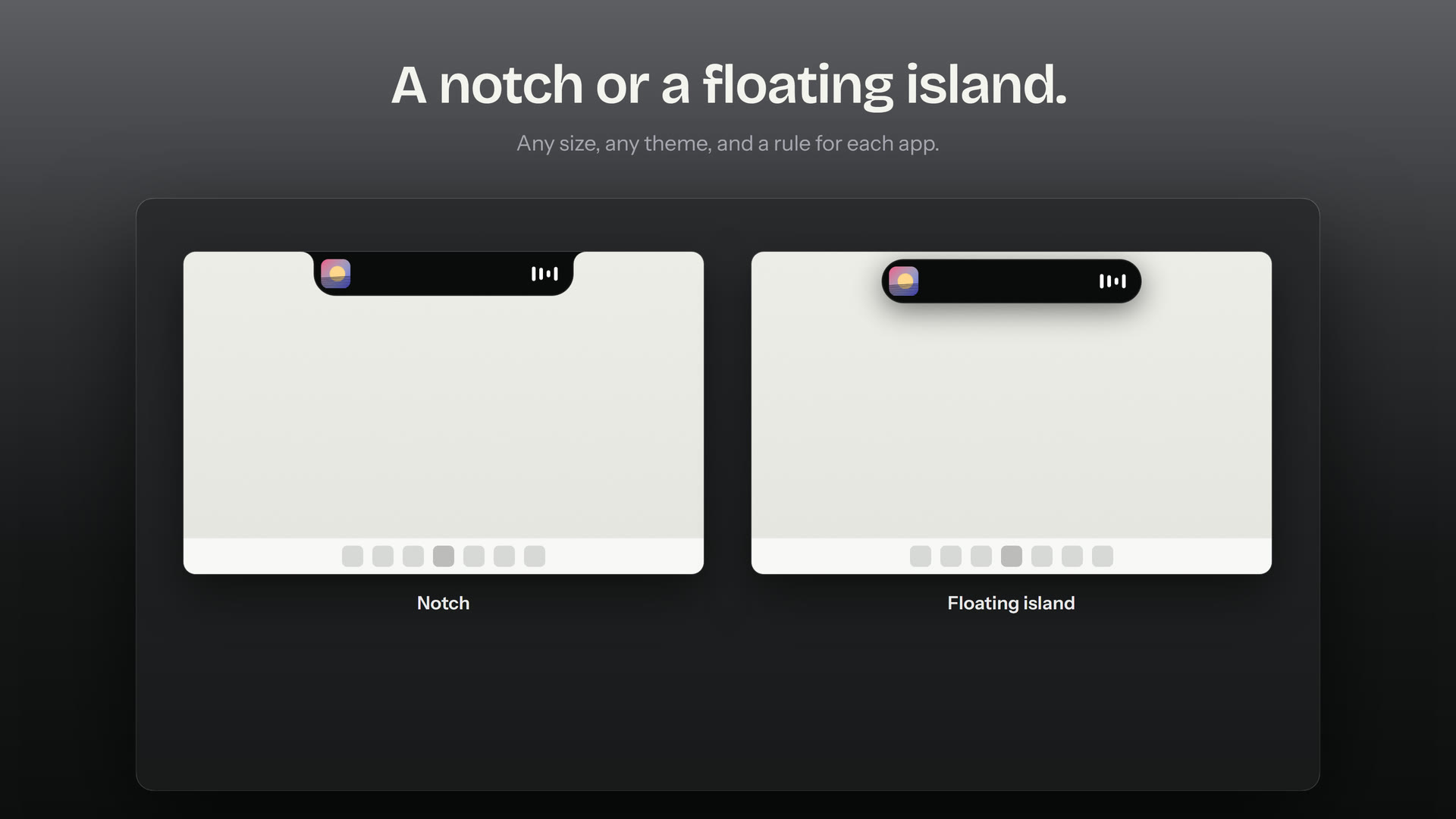
http://127.0.0.1:47823/notifyand/tile) or a command-line tool. - A notch joined to the top edge or a floating island, in Black, Graphite, Liquid Glass, Acrylic (Windows 11), Candy glass or one of the soft themes.
Short description
Free to quote as it is or to shorten.
NotchPixel is a Dynamic Island-style notch for Windows 10 and 11. It sits at the top centre of the screen: rest the pointer on it and it opens a card with what is playing, clipboard history, a file shelf that sends files to your phone, widgets, reminders and your coding agents; move away and it is gone. In fullscreen games it hides or shows a slim FPS, CPU, GPU and RAM strip. It comes in Black, Liquid Glass and soft themes, and costs $9.99 once in the US from the Microsoft Store, with no subscription, no account and no telemetry.
Screenshots
Real captures of the app on Windows, made for the launch in October 2026. Select one to open it full size. You may use them in articles, reviews and videos about NotchPixel.
Gallery
Ten images from the October 2026 launch gallery, 1600 x 900 JPG.
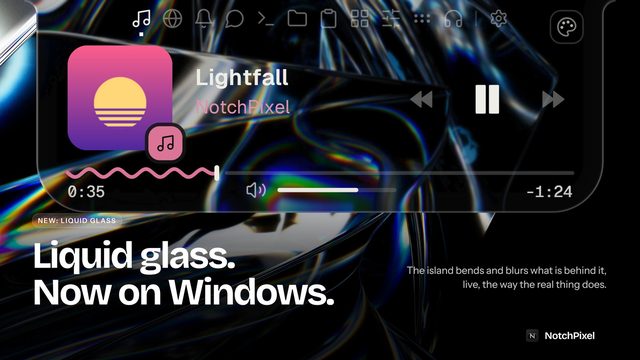
Liquid Glassnotchpixel-01-liquid-glass.jpg, 176 KB 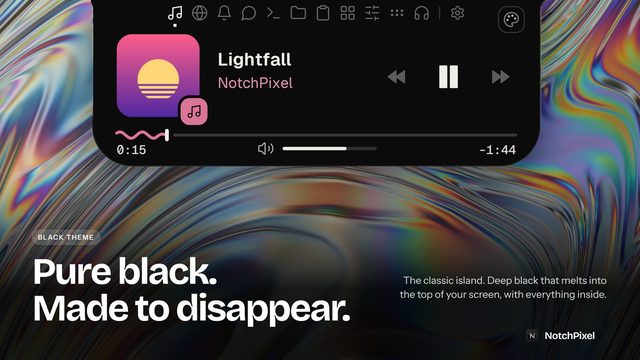
Black themenotchpixel-02-black.jpg, 202 KB 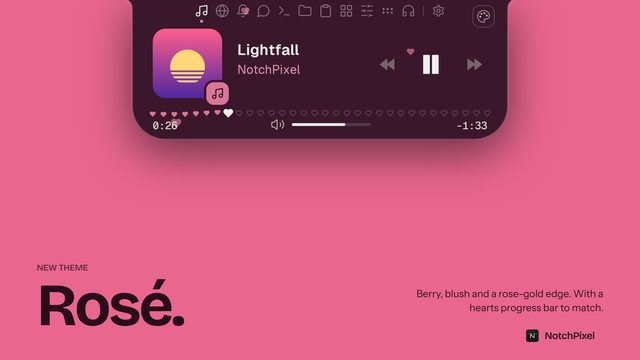
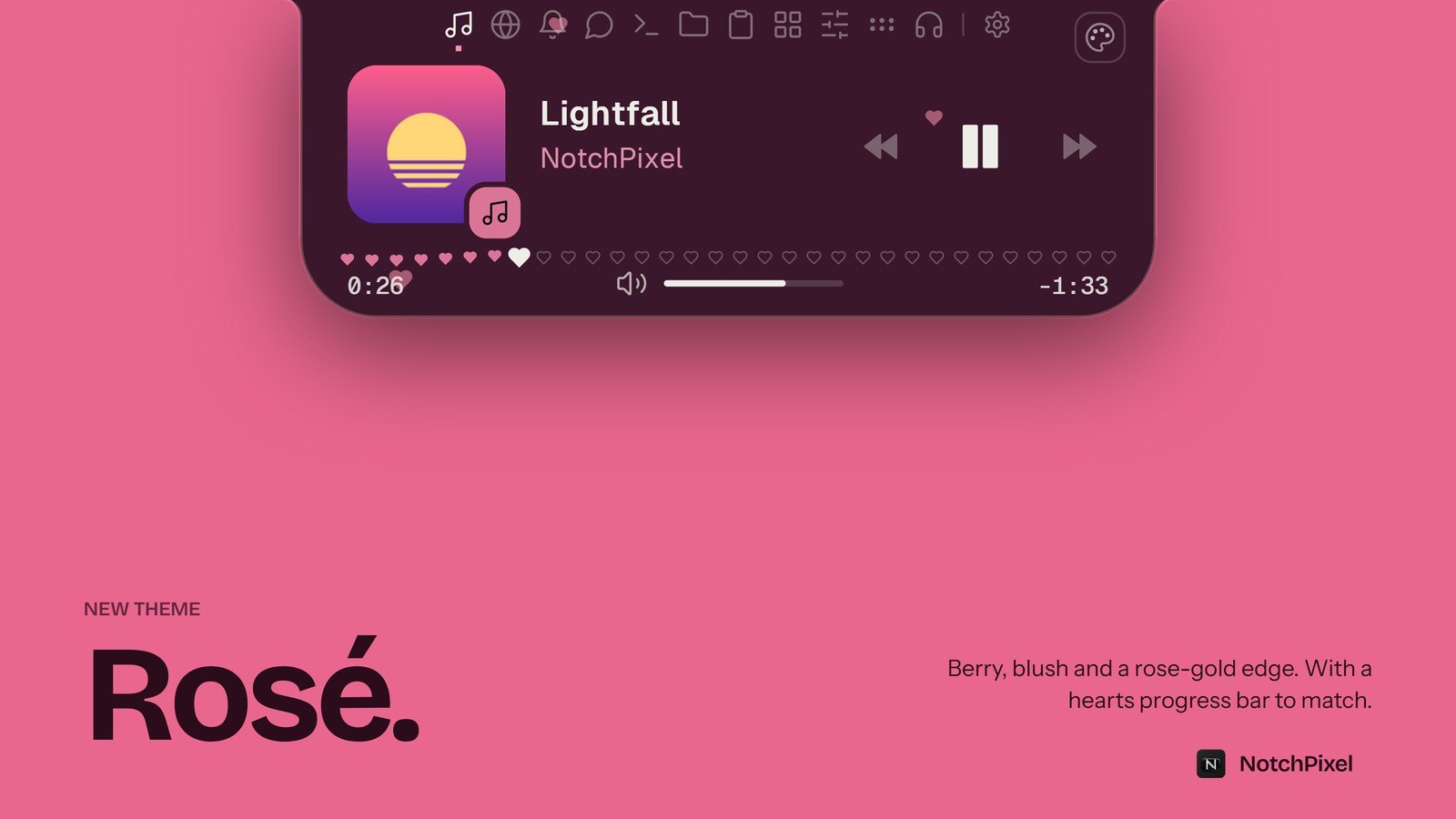
Rosé themenotchpixel-03-rose.jpg, 66 KB 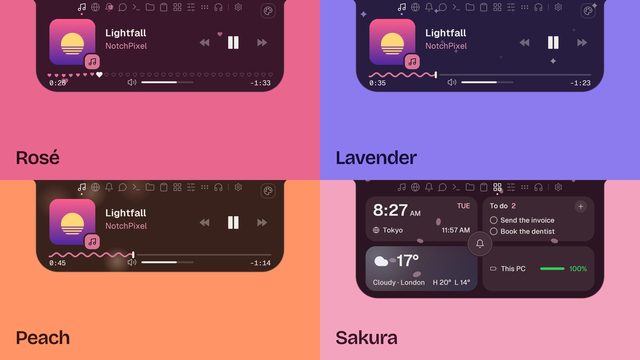
Soft themesnotchpixel-04-themes.jpg, 99 KB 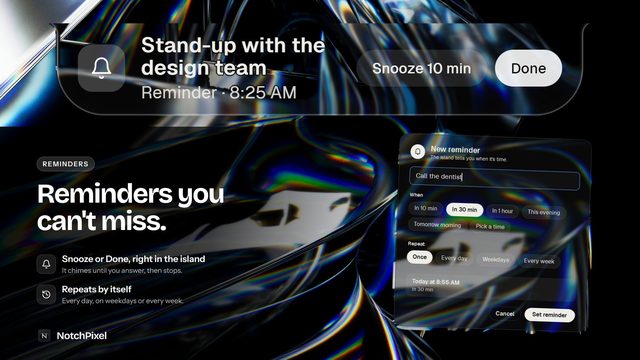
Remindersnotchpixel-05-reminders.jpg, 214 KB 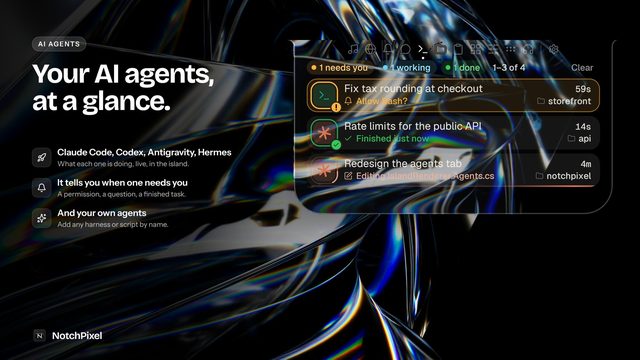
AI agentsnotchpixel-06-agents.jpg, 206 KB 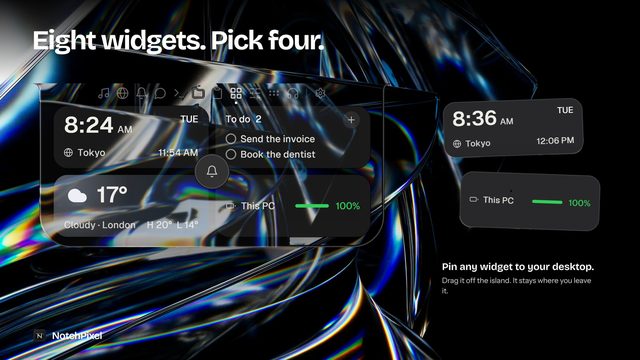
Widgetsnotchpixel-07-widgets.jpg, 211 KB 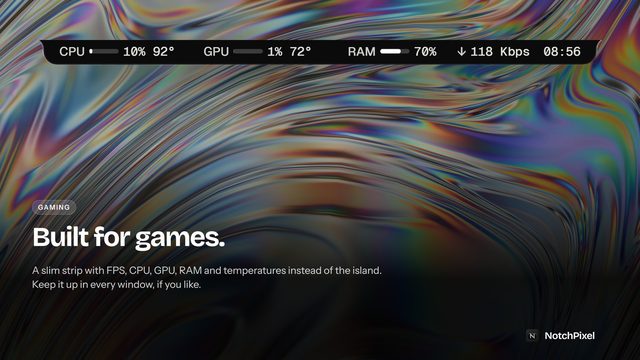
Game stripnotchpixel-08-games.jpg, 226 KB 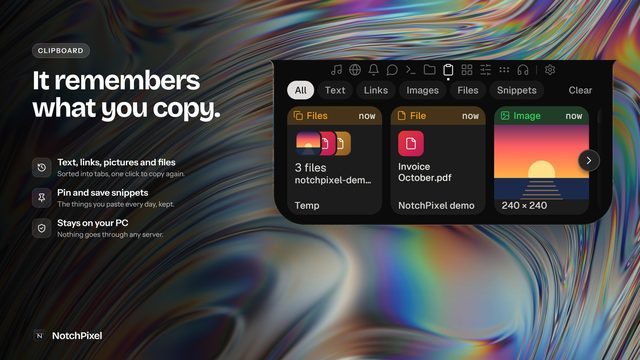
Clipboard historynotchpixel-09-clipboard.jpg, 229 KB 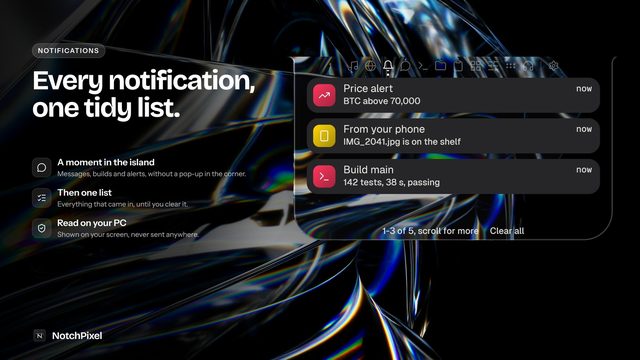
Notificationsnotchpixel-10-notifications.jpg, 184 KB
Feature stills
Eleven stills from the tour film, 1920 x 1080 JPG, on a light background.
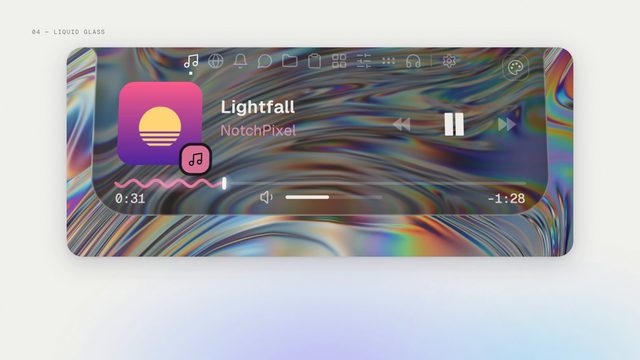
Liquid Glass, close upnotchpixel-11-glass-card.jpg, 190 KB 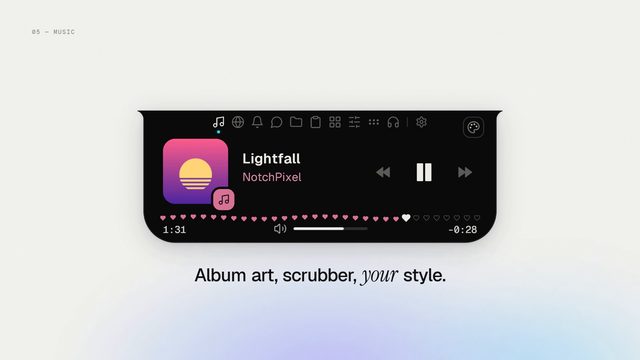
Now playingnotchpixel-12-music-card.jpg, 111 KB 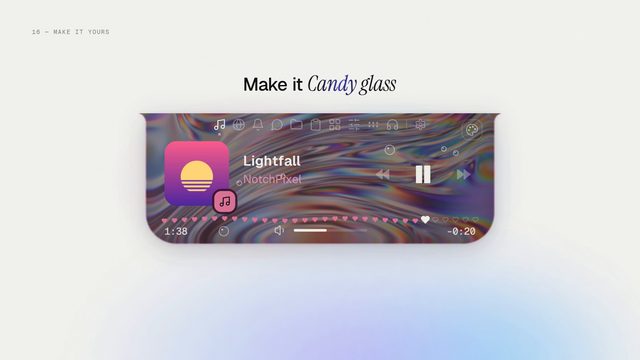
Candy glassnotchpixel-13-candy-glass.jpg, 142 KB 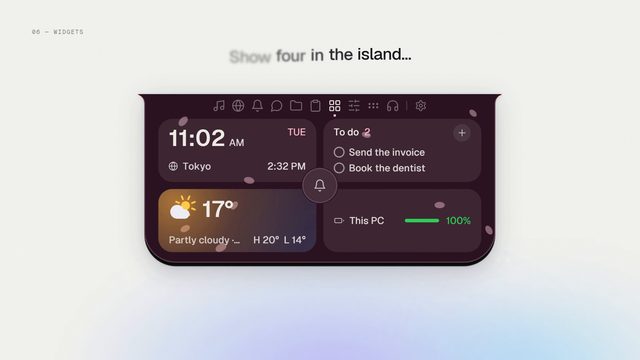
Widgets cardnotchpixel-14-widgets-card.jpg, 117 KB 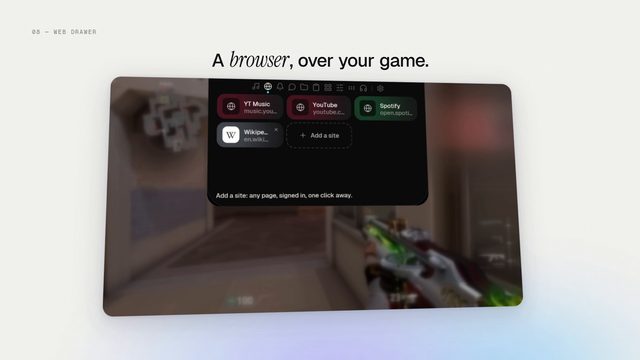
Web drawernotchpixel-15-web-drawer.jpg, 121 KB 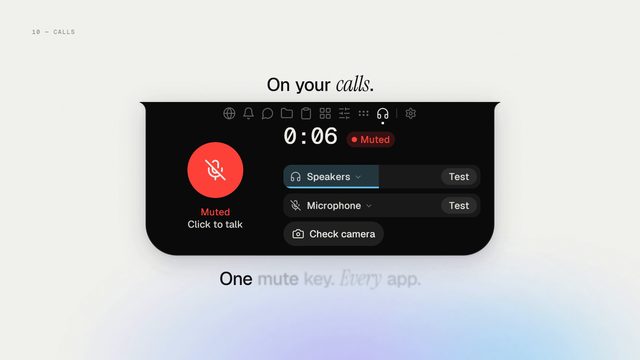
Callsnotchpixel-16-calls.jpg, 110 KB 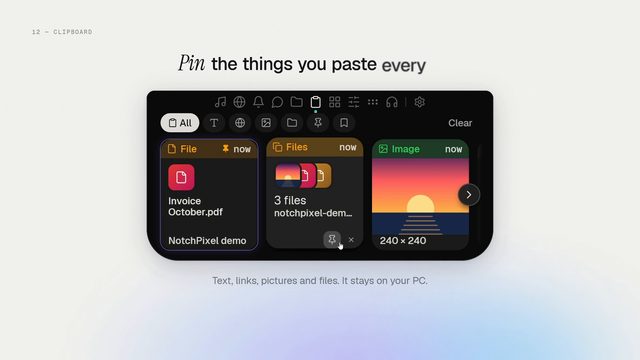
Clipboard pinsnotchpixel-17-clipboard-pins.jpg, 133 KB 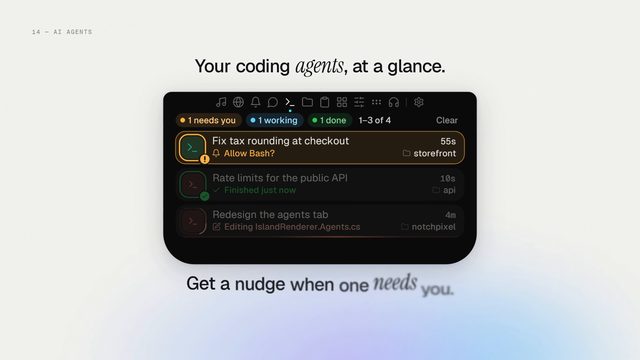
Coding agentsnotchpixel-18-coding-agents.jpg, 138 KB 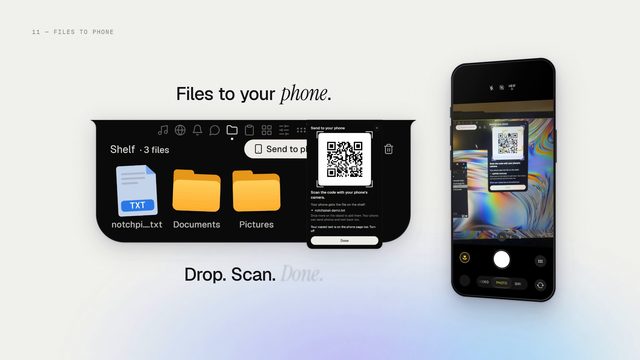
Files to your phonenotchpixel-19-files-to-phone.jpg, 161 KB 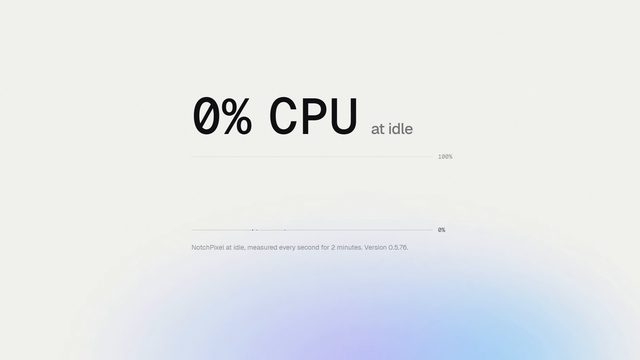
0% CPU at idlenotchpixel-20-cpu.jpg, 96 KB 
End cardnotchpixel-21-end-card.jpg, 116 KB
The earlier Microsoft Store set (the notch, now playing, file shelf, quick switches, launcher and status pop-ups, 1920 x 1080) stays online: notchpixel-01-hero.jpg to notchpixel-10-shapes.jpg.
Logos and icons
- notchpixel-logo.svg vector, 7 KB
- logo-512.png 512 x 512 PNG, 138 KB
- icon-192.png 192 x 192 PNG, 21 KB
- logo-64.png 64 x 64 PNG, 5 KB
- favicon-32.png 32 x 32 PNG, 2 KB


The name is written as one word with two capitals: NotchPixel. Please use the icon as it is, without recolouring or stretching it.
Film
The tour film, 2 min 10 s with sound: every tab of the island one after another, as real recordings of the app on Windows: music, Liquid Glass, widgets, the web drawer, reminders over games, calls, files to your phone, clipboard history, coding agents and streaming. The same film plays on the home page.
- Watch the tour film on YouTube youtu.be/y75_Q_A5gNc
- Download the tour film MP4, 1920 x 1080, 2 min 10 s, 18 MB
- Download the earlier narrated tour MP4, 1280 x 720, 3 min 46 s, 23 MB, September 2026; one feature at a time, explained as it happens on screen
$9.99 once, after a 7-day free trial. No subscription, no account.
Dynamic Island is a trademark of Apple Inc. NotchPixel is not affiliated with, endorsed by or sponsored by Apple.