Set up NotchPixel Deck
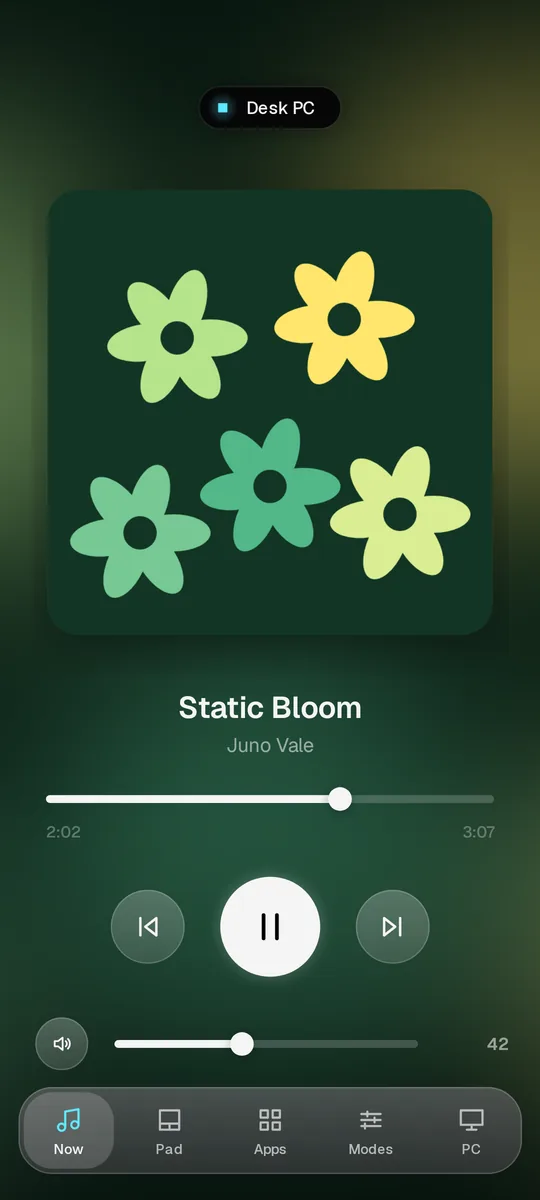
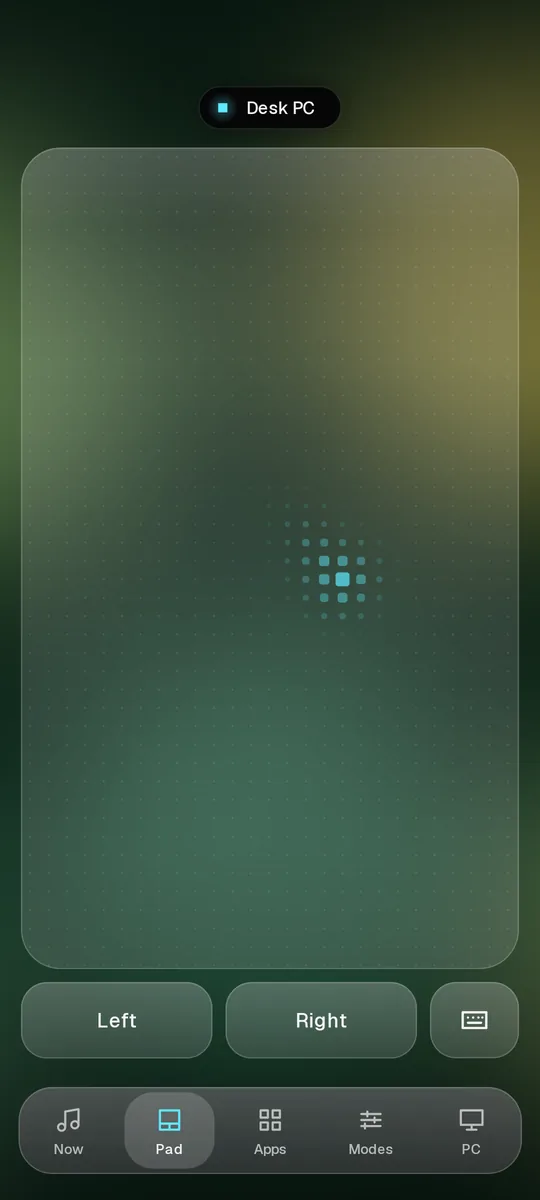
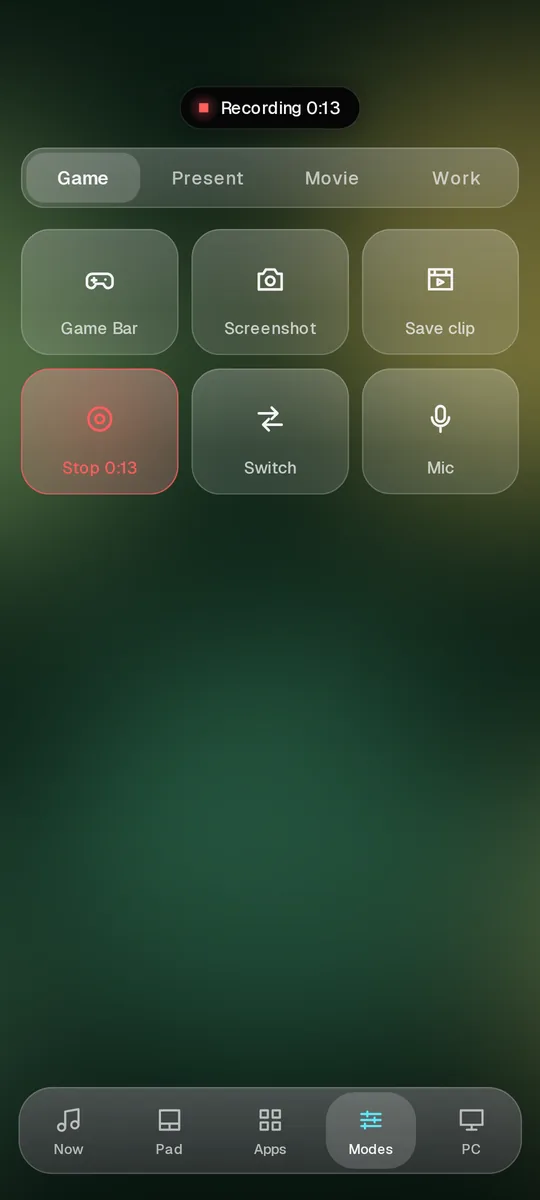
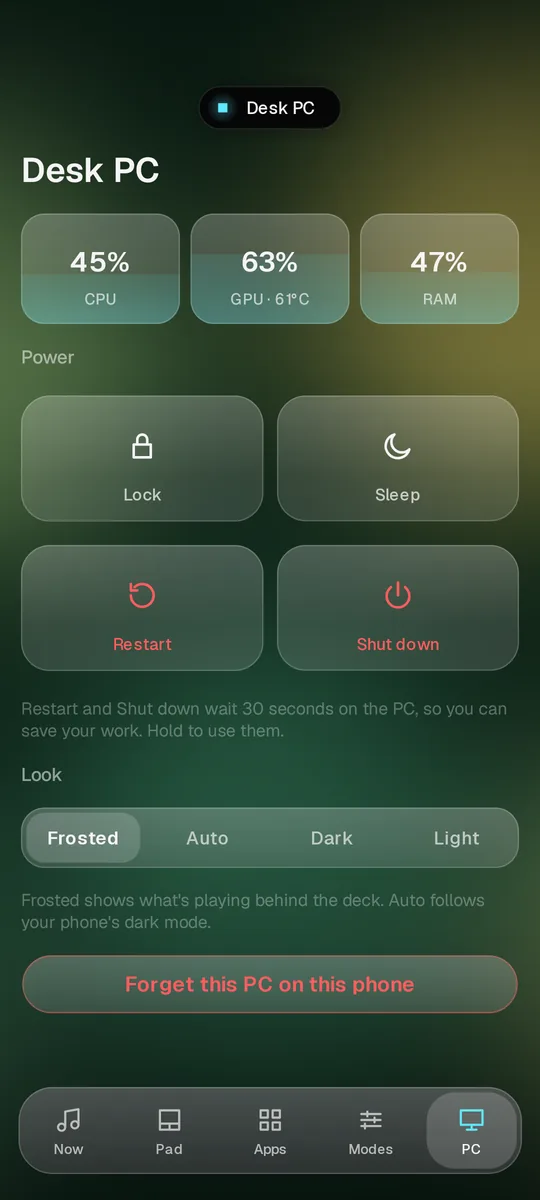
NotchPixel Deck is the phone remote for NotchPixel, an app for Windows 11 and 10. If the app is on your phone, this is the other half: get NotchPixel on your PC, turn on PC Deck and scan the code. It takes about two minutes, with no account.
For your PC. 7-day free trial. One-time purchase, no account.
Don't have the phone app yet? Get NotchPixel Deck on Google PlayFour steps, once
Get NotchPixel on your PC
On your PC, press the button above, or open the Microsoft Store and search for NotchPixel. It starts with a 7-day free trial.
Turn on PC Deck
Move the mouse onto the island at the top of your screen. Open its Deck tab and press Turn on. A code appears; if it doesn't, press Add phone.
Scan the code with your phone
Open NotchPixel Deck on your phone, tap Scan your PC's code and point the camera at the code on your PC.
Press Allow on the PC
Your PC asks whether to let this phone in. Press Allow and the deck opens on your phone. You do this once.
If the phone can't find your PC
- The phone and the PC need the same Wi-Fi. A phone on mobile data can't reach the PC.
- In Windows, the network has to be set to Private: Settings, Network and internet, your Wi-Fi, then Private network. On a Public network PC Deck stays off, because it can control the PC.
- PC Deck has to be on in the island's Deck tab. Turning it off stops every phone until you turn it on again.
- If the phone was removed on the PC, press Add phone in the Deck tab and scan the new code.
Questions
Is NotchPixel Deck free?
Yes, the phone app is free. NotchPixel for Windows is $9.99 once in the US after a 7-day free trial, with no subscription, from the Microsoft Store.
Do I need an account?
No. There is no account in the phone app or in NotchPixel, and nothing goes through a server of ours.
Does it work away from home?
No. The phone talks straight to your PC over your own Wi-Fi, so both have to be on the same network.
Can anyone on my Wi-Fi control my PC?
No. A phone needs the code your PC shows, which lasts two minutes, and then you press Allow on the PC. The connection is encrypted and checked against your PC's own certificate, and you can remove a phone in the Deck tab at any time.
Is there an iPhone app?
Not yet. Until then an iPhone can use PC Deck in Safari: scan the code with the Camera app and it opens in the browser.
Part of NotchPixel
NotchPixel puts a Dynamic Island-style island at the top of your Windows screen, with music, clipboard history, files to your phone, a game strip, reminders and widgets. PC Deck is one of its tabs. See everything it does, read more about PC Deck, or see what the phone app sends and keeps.
For your PC. 7-day free trial. One-time purchase, no account.