Control your PC from your phone
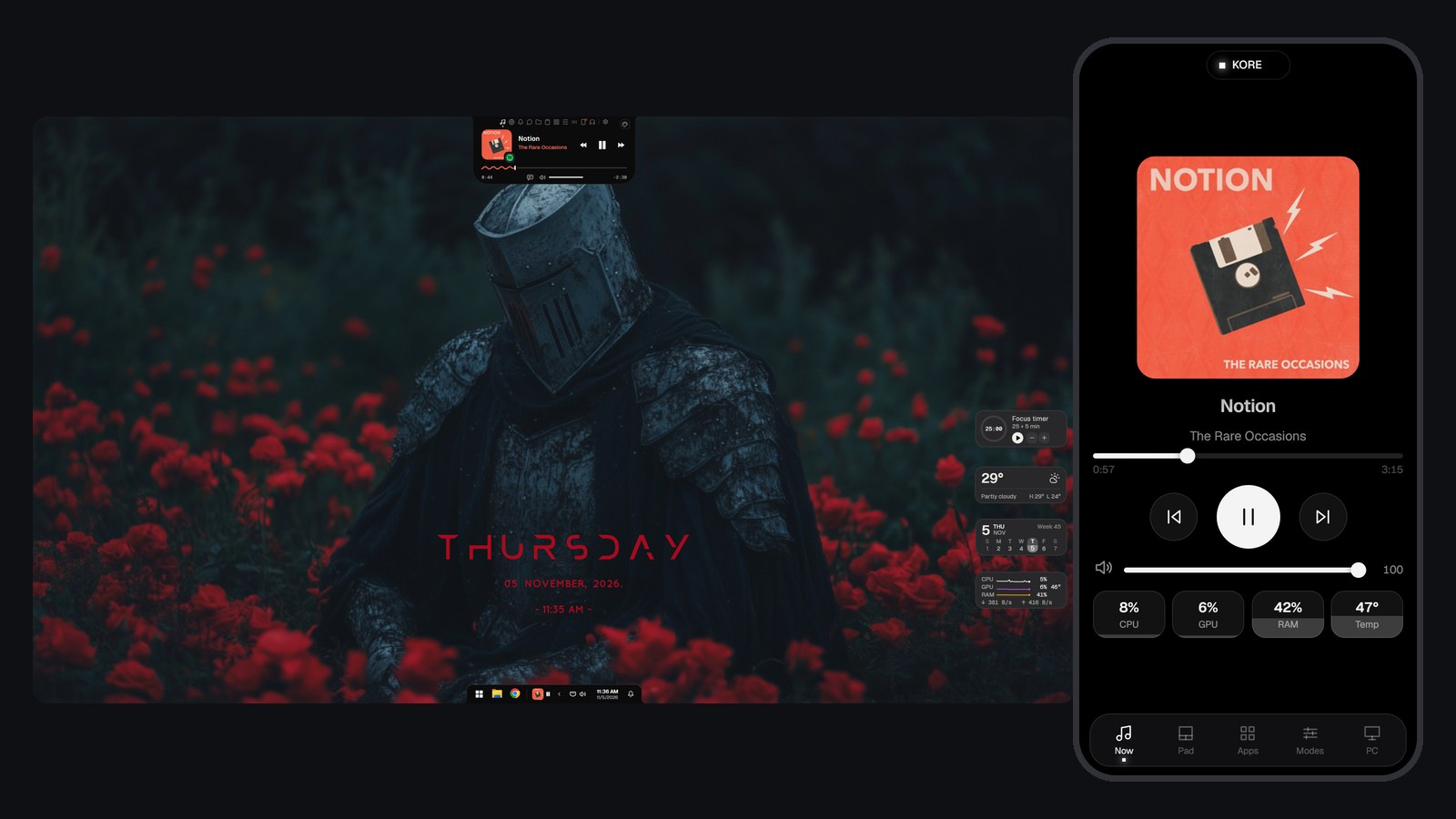
PC Deck turns your phone into a controller for your Windows PC: a trackpad and keyboard, music controls, your apps, and buttons for games, slides and movies. It runs in your phone's browser, so there is no app to install on the phone, and it stays off until you turn it on.
Also in: Bahasa Indonesia · español · Tiếng Việt
7-day free trial. One-time purchase, no account.
What it does
- Trackpad: use your phone as a mouse, with left and right click, and type on the PC from the phone.
- Now playing: artwork, play, skip, seek and volume for whatever your PC is playing.
- Apps: open the apps you choose, and add more from the phone.
- Games: Game Bar, screenshot, save clip, record, switch windows and your mic.
- Slides: start, back, next, black screen and end. Movies: play, skip, mute and full screen.
- PC: CPU, GPU, RAM and temperature at a glance, plus lock, and sleep, restart and shut down with a press and hold.
What else can do this
Remote desktop apps such as Chrome Remote Desktop show your whole screen on the phone and work from anywhere; PC Deck shows no screen and works only on your own network. Unified Remote is free to start and does a similar job, with an app on the phone and a server on the PC. PC Deck needs neither of those, and it comes with the island. Its buttons are a fixed list plus your apps, so if you want buttons you can program, like a stream deck, a dedicated app will suit you better.
Good to know
- Your phone and PC need the same Wi-Fi, with the network set to Private in Windows. On a Public network PC Deck stays off.
- The connection is encrypted with a certificate made on your PC, not by a public authority, so the phone's browser warns you the first time and you choose to continue. On iPhone that happens once in Safari and once in the Home Screen app.
- On iPhone, add it to your Home Screen for full screen. Safari itself keeps its bars.
- Tested on an iPhone and Windows 11. It runs in the browser, so Android should work, but it has not been tried on a real Android phone yet.
- The page on the phone is in English for now.
Questions
Do I need an app on my phone?
No. Turn PC Deck on in the island's Deck tab and scan the code with your phone's camera. It opens in the phone's browser.
Can I use my phone as a mouse for my PC?
Yes. The Pad page is a trackpad with left and right click, and a keyboard button types on the PC.
Can anyone on my Wi-Fi control my PC?
A phone needs a code that lasts 2 minutes and works once, and then you press Allow on the PC. You can remove a phone from the Deck tab at any time, and turning PC Deck off stops it.
Can I use my phone as a stream deck?
In part. The Modes page has ready-made buttons for games, slides, movies and work, and the Apps page opens your apps. You can't program your own buttons or macros.
Does it work away from home?
No. It only works when the phone and the PC are on the same network, and nothing goes through a server.
Does it work on Android?
It should, since it runs in the browser, but it has only been used on an iPhone so far. If you try it on Android, tell us how it goes at info@notchpixel.com.
What does it cost?
$9.99 once in the US after a 7-day free trial, with no subscription. It is sold only in the Microsoft Store, which installs and updates it.
Part of NotchPixel
This is one of the jobs NotchPixel does in one island at the top of your screen, with music, clipboard history, files to your phone, a game strip, reminders and widgets. See everything it does, read what people say on the Microsoft Store, or see how to get a Dynamic Island on Windows.
7-day free trial. One-time purchase, no account.