A taskbar replacement for Windows 11
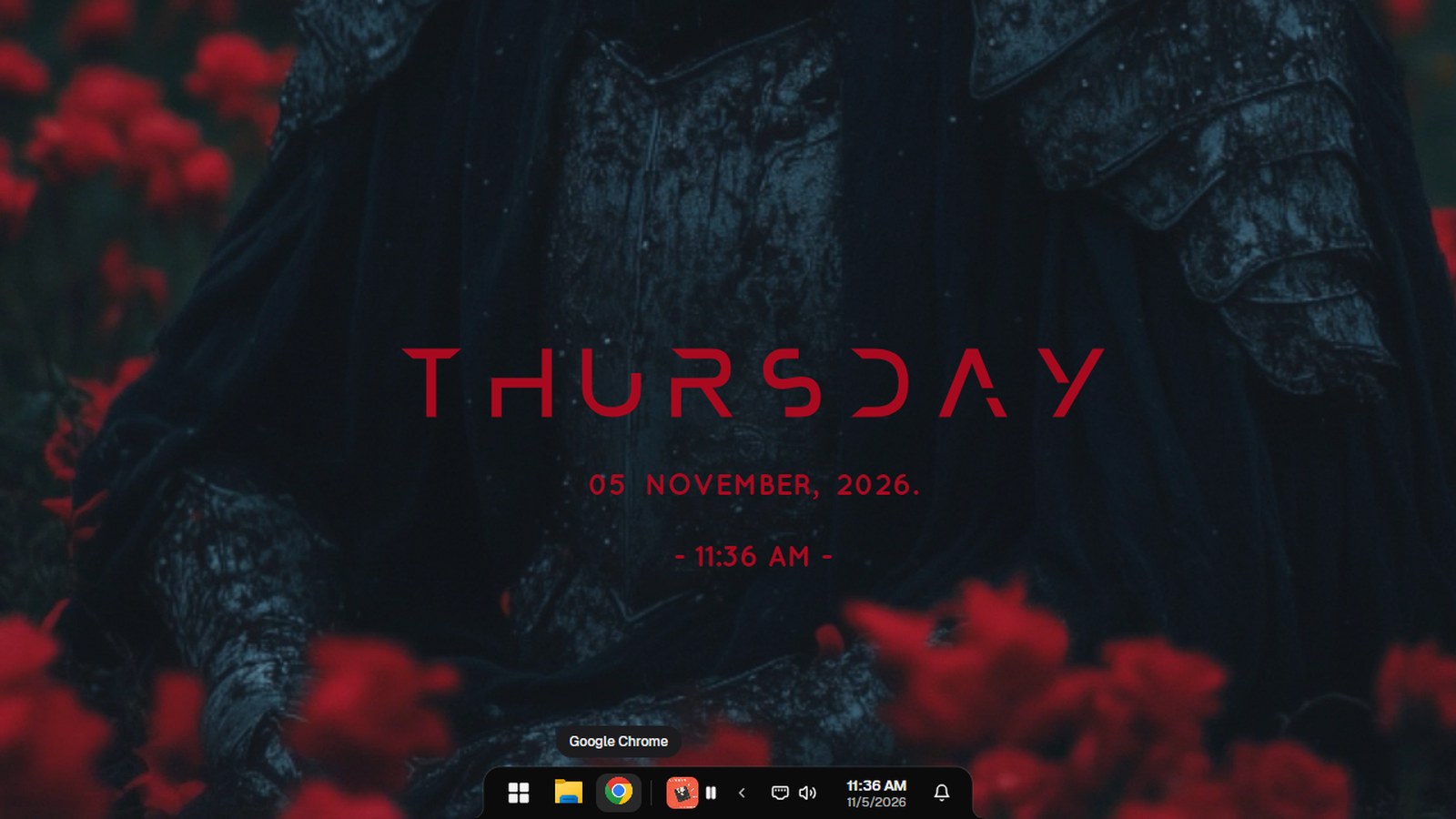
NotchPixel can replace the Windows taskbar with a notch along the bottom of your main screen, drawn like the island at the top: Start, your pinned and open apps, the song playing and the timer, tray icons, quick settings and the clock. It is off until you turn it on in Settings > Taskbar.
7-day free trial. One-time purchase, no account.
What it does
- Start, plus your pinned and open apps. It follows the apps you pin in Windows.
- The song playing and the timer sit next to your apps.
- Tray icons: all on show, or only the ones you choose in Windows' settings with the rest behind an arrow.
- Windows' own Start, Quick Settings and notification panels open from it as usual.
- Windows stop above it, the way they do with Windows' taskbar.
- It steps aside for fullscreen games, and shows over the game while Start or another app is in front.
What Windows and free apps already do
Windows 11's Settings let you align the taskbar, auto-hide it and choose which icons show, but it stays Windows' taskbar. If you want it see-through, TranslucentTB does that, for free. Windhawk has free mods that change it in many ways, and Seelen UI is a free shell with its own taskbar and dock. NotchPixel is for people who already want the island at the top and want the bottom edge to match.
Good to know
- Only your main screen gets the bar for now.
- Tested on Windows 11. NotchPixel itself runs on Windows 10 version 2004 and later, but the taskbar has not been tested there yet.
- Turn it off, or quit NotchPixel, and Windows' taskbar comes back.
- It comes with NotchPixel and is not sold separately.
Questions
Can I replace the taskbar in Windows 11?
Windows has no setting for it, so it takes an app. NotchPixel's taskbar takes the place of Windows' on your main screen once you turn it on in Settings > Taskbar.
Is it a good alternative to the Windows 11 taskbar for gaming?
It hides for fullscreen games, and comes back over the game while Start or another app is in front. It also keeps the game strip and reminders from the island, which sit at the top of the screen.
How do I get Windows' taskbar back?
Turn the setting off, or quit NotchPixel. Windows' taskbar comes back straight away, even with a game open.
Can I just hide the taskbar instead?
Yes. Settings > Taskbar also has Hide the taskbar, which takes Windows' taskbar off the screen so windows get the full height. Start still opens with the Windows key.
What does it cost?
$9.99 once in the US after a 7-day free trial, with no subscription. It is sold only in the Microsoft Store, which installs and updates it.
Part of NotchPixel
This is one of the jobs NotchPixel does in one island at the top of your screen, with music, clipboard history, files to your phone, a game strip, reminders and widgets. See everything it does, read what people say on the Microsoft Store, or see how to get a Dynamic Island on Windows.
7-day free trial. One-time purchase, no account.